Want your own version? Make it free in our fidget slider tool. A free account gives you free downloads every week.
Print only~20 g
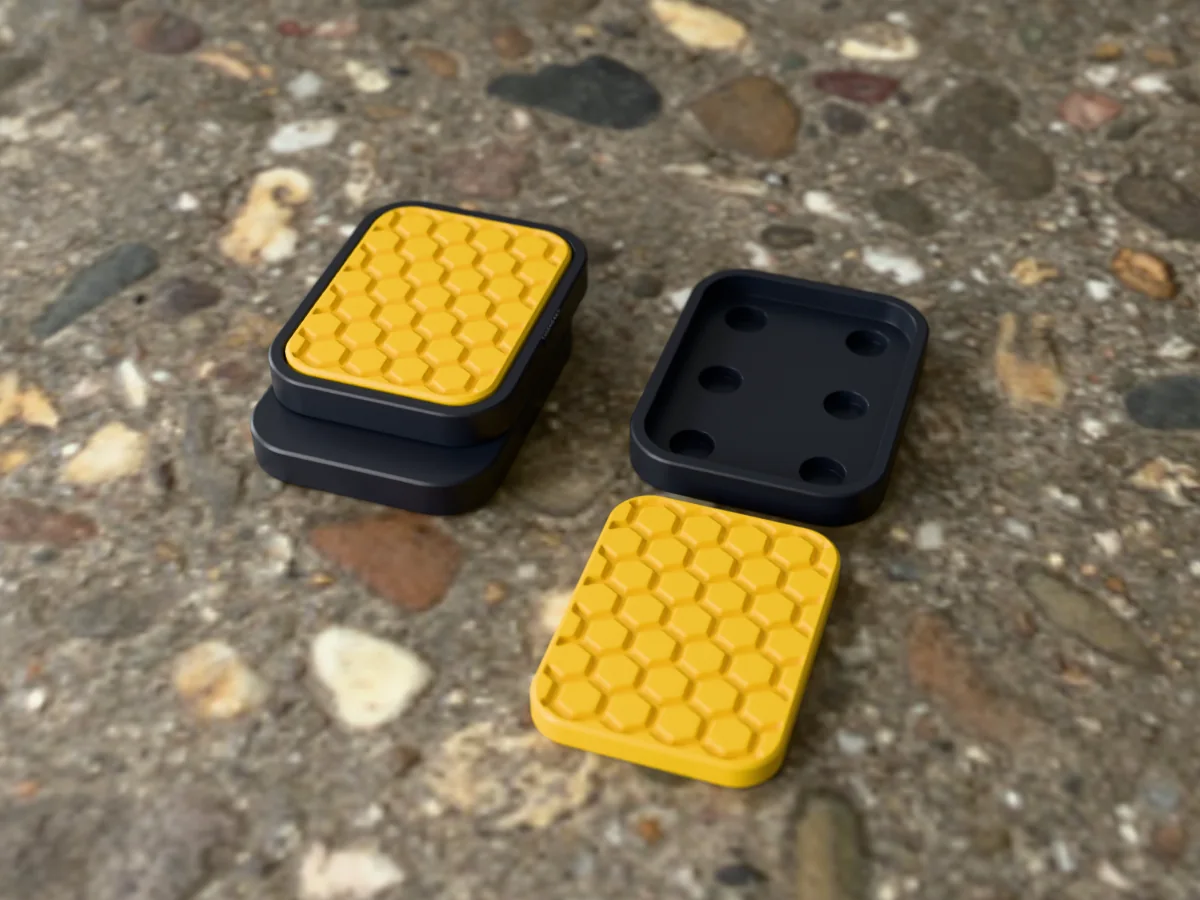
A pocket fidget slider: two identical plates held together bottom to bottom by twelve small magnets, so one slides over the other and snaps into the next row with a click. The thumb faces carry a honeycomb of shallow hexagons, which gives the thumb something to read and looks like a little piece of a beehive in gold on charcoal.
Read more
Made with our free fidget slider generator, not modelled by hand: we picked the Honeycomb surface and set the plate colour to charcoal and the insert colour to gold. Everything else is the tool's default: 35 by 45 mm plates, 5.8 mm thick, for 6 by 2 mm disc magnets, six per plate in three rows, under a 0.4 mm floor, with the insert a 0.15 mm press fit in its pocket. The zip holds exactly what the tool exports: a 3MF with both plates and both inserts in their two colours, and one plate and one insert as STLs to print twice. Like every free download from the tool, each plate carries a small raised MESHCAST mark on one long side.
Print the four parts flat with no supports, press in twelve magnets (the two plates the opposite way round) and the two inserts, and it is ready in an evening. It makes a good desk toy, a quiet thing for restless hands in meetings, or a small gift that looks bought.
Shown as a 3D render of the printed slider, assembled with the top plate slid one click along, next to a spare plate and insert, not a photo.
What you need
3
12 round neodymium disc magnets, 6 x 2 mm (six per plate)
About 20 g of PLA or PETG, in charcoal and gold
A drop of superglue, only if an insert ends up loose
How to make it
5
1
Print two plates and two inserts flat as exported, no supports. Finer layers (0.12 to 0.16 mm) on the inserts bring out the texture.
2
Stack the magnets and mark the top face of the stack with a pen.
3
Press six magnets into the first plate marked side up and six into the second marked side down.
4
Hold the plates bottom to bottom: they must snap together. If they push apart, flip the magnets in one plate.
5
Press an insert into each pocket over the magnets, put the plates together and slide.
Print details
2 h 10 minPrint time
~20 gFilament
4Printed parts
35 × 45 × 13 mmSize (W x D x H)
All print details
Print details
Type
Print only
Printed parts
4
Size (W x D x H)
35 x 45 x 13 mm
Print bed needed
45 x 36 mm, 6 mm tall
Filament
~20 g
Layer height
0.2 mm
Infill
20%
Supports
Not needed
Download
ZIP: 3MF in two colours + plate and insert STLs + README with assembly
Free download. Opens the Thingiverse listing in a new tab.
Free for personal use. Selling the printed piece itself needs a commercial licence (Pro or Founder); passing on the file is not permitted on any plan. Full terms.
fidget slidermagnetic fidgethoneycomb fidgetfidget toy stlclicky fidgetdesk toy
Questions about this design
Why does the honeycomb magnetic fidget slider click?
Each plate holds six magnets in three rows under a thin floor. When you push one plate along the other, the magnets let go of one row and snap onto the next, and that snap is the click. Three rows give three resting positions, and the honeycomb gives your thumb grip while you push.
Which magnets do I need for the Honeycomb magnetic fidget slider?
Twelve round neodymium disc magnets, 6 mm across and 2 mm thick, the most common size there is: six per plate. If you have a different size, open the free fidget slider generator, pick it under Magnets and it moves the holes and the pocket to fit.
How long does the Honeycomb magnetic fidget slider take to print?
About 2 h 10 min for all four parts and 20 g of filament at 0.2 mm layers, estimated from the files rather than sliced; a current printer is faster. The 3MF puts both plates and both inserts on one bed in two colours.