PrintPal face generator alternative: from a photo to a finished print
This guide was drafted with AI assistance.
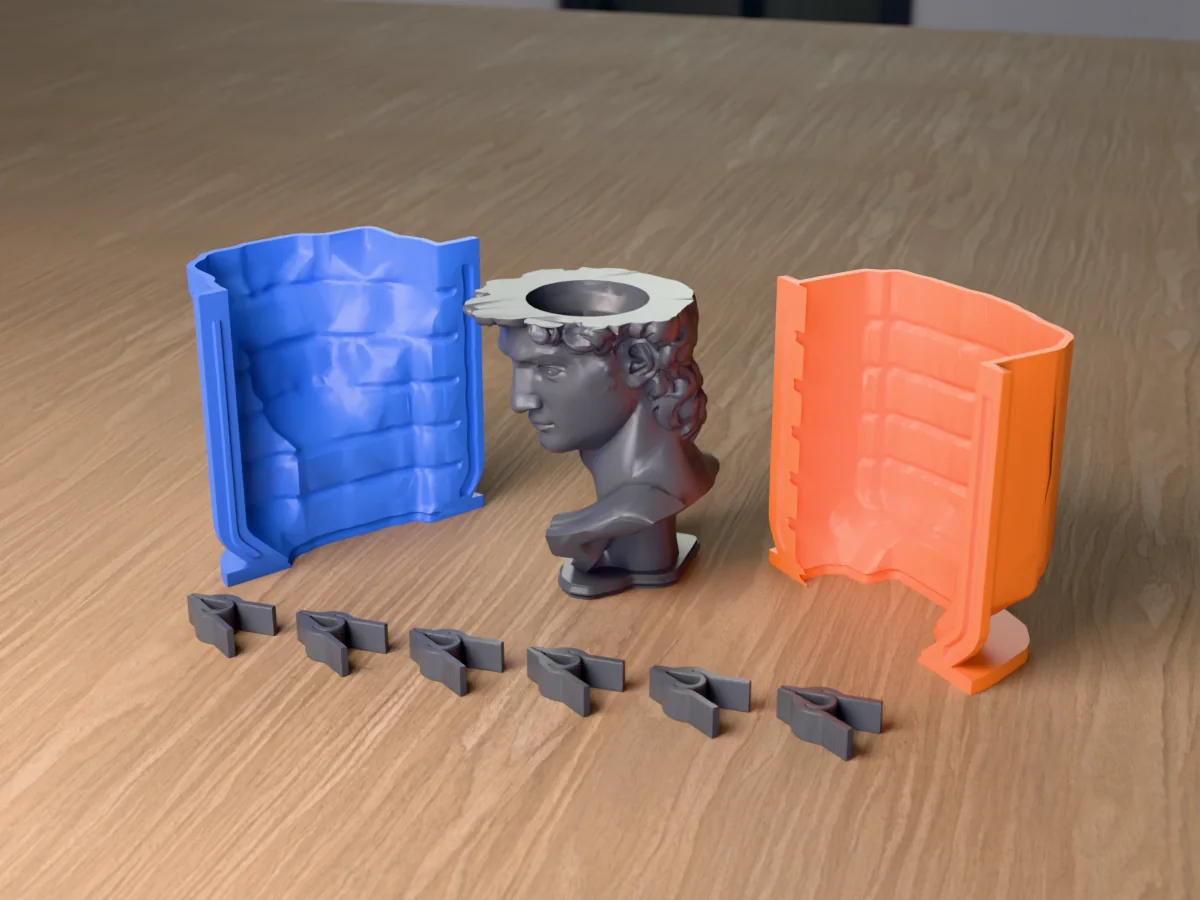
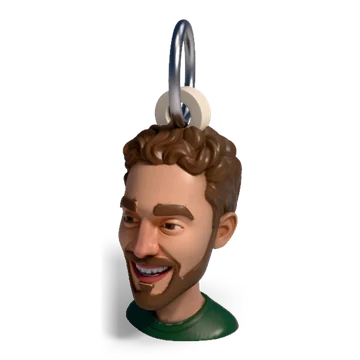
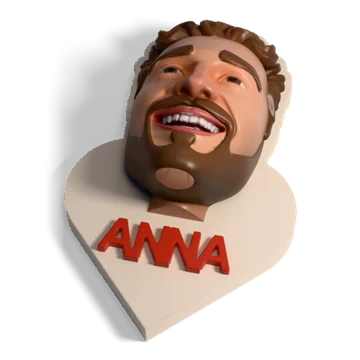
PrintPal's Face to 3D Figurine Generator turns a selfie into a 3D figurine you download as STL, OBJ, GLB or FBX, and it is cheap and part of a big free tool kit. Meshcast's head generator starts from the same kind of photo but ends somewhere else: a finished print (bust, bobblehead, keychain, fridge magnet, can holder, planter and more) built automatically around the head, with print checks, and a path to a candle or soap mold of it. If you want the raw model in many formats, use PrintPal. If you want a finished print or a mold, use ours, or combine the two.
The short answer
Both tools do the AI part: photo in, 3D head or figure out. The real question is what you do with the model next. PrintPal hands you a figurine and a large set of other tools to work on it yourself. Meshcast's head generator decides the next step for you: you pick a template and it cuts, measures and adds the parts that make it a working object.
Everything said here about PrintPal comes from their own public pages (the face generator page, the tools index and the pricing page), read between 25 September and 1 October 2026. Where their site did not say something, this page does not guess.
What PrintPal's face generator does
- Input: a selfie or portrait, PNG, JPG or WebP. Their tips: good light, minimal background, and full-body or waist-up photos work well.
- Styles: Realistic, Cartoon and Tabletop Miniature, the last one with a base.
- Output: STL (their recommendation), OBJ, GLB or FBX.
- Pets: a separate Pet to 3D Figurine Generator.
- Price: their pricing page lists Free (10 AI generations a month), Pro $10 a month and Studio $25 a month, with commercial rights on every plan. The face page lists monthly allowances for Pro (20) and Studio (60) and a credit price per generation otherwise.
- Around it: 40+ free browser tools, among them mesh repair, a model splitter, a flexi model creator and a 3D model painter.
PrintPal face generator vs Meshcast head generator
"Not stated" means we could not find it on PrintPal's face generator page. Meshcast's column describes our own tool.
| Feature | PrintPal face generator | Meshcast head generator |
|---|---|---|
| Try it without paying | Free plan, 10 generations a month | Free example run before sign-in, then 38 welcome credits (two colour heads) |
| Styles | Realistic, Cartoon, Tabletop Miniature | Cartoon, plus expressions and hats |
| Pets | Separate pet generator | Same tool, pick Pet |
| Approve a picture before the 3D build | Not stated | Yes, a clay preview; retries of it are free |
| What you get | A figurine | A head, then one of 7 templates built around it |
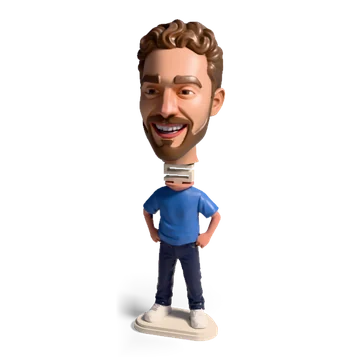
| Bobblehead | Mentioned as a use; the split is up to you | Split at the measured neck, peg and socket, optional mini body |
| Keychain, magnet, ornament | Not stated | Split ring or ribbon loop, magnet pocket sized to your magnet, optional backing plate |
| Colour | Not stated | Painted multi-colour 3MF for AMS printers, touch-up brush |
| Print checks | Separate mesh repair tool | Thin spots, loose pieces and bed size checked before download; an open mouth is filled |
| Files | STL, OBJ, GLB, FBX | 3MF, STL |
| Mold of the head | No (their mold box tool takes any STL) | Bust goes straight to the silicone, rigid and plaster mold tools |
| Price | Free plan, $10 and $25 plans | Credits: 19 per colour head, 9 per grey head; packs from 100 credits for 9.99 |
Where PrintPal is stronger
- A free monthly allowance. Their free plan renews every month; our free credits are a one-off welcome, then packs or a plan.
- More file formats. OBJ, GLB and FBX matter if the head is going into Blender, a game engine or another 3D app, not only a printer.
- A tabletop miniature style for gaming figures, on a base.
- Commercial rights on every plan, stated on their pricing page.
- Everything else around a printer: calculators, a G-code viewer, converters and dozens of design tools under one account.
Where Meshcast is different
- Templates that need no hand work. The head is measured (where the neck is narrowest, where the crown is, how deep the face is) and the template is cut from those numbers, so a keychain loop lands on the top of the skull and a magnet name never covers the chin. You never drag the head into place.
- Real sizes. The can holder is bored for the can you pick (EU and US sizes), the planter for a real nursery pot, the magnet pocket for your magnet disc.
- Checked before you print. Thin spots, loose pieces and a part too big for your printer are flagged on the model, and an open mouth is filled so it prints.
- Colour for AMS printers. The default download is a painted 3MF that opens with its colours in Bambu Studio and OrcaSlicer; a brush touches up anything the AI got wrong.
- Your photo is not kept. It is sent to fal.ai to make the head and is never stored.
- A head you can cast. Molds are what Meshcast is built around. A bust goes into the silicone mold maker, the rigid box mold or the plaster mold without exporting anything, so one photo becomes as many candles or soaps as you want.
- One head, many products. Finished heads are kept in a library, so the same face can become a magnet today and a bobblehead tomorrow without a new AI charge.
Using both
Already have a head from PrintPal? You can still cast it with Meshcast's mold tools:
- Make the head with PrintPal's face generator (or any other) and download the STL.
- If it does not stand on its own, cut it flat under the neck in your slicer or with PrintPal's splitter. The flat face becomes the pour opening.
- Open it in the Meshcast silicone mold maker. The contoured shell follows the head and uses less silicone than a box; if the mesh has holes, "Fix it for me" repairs it.
- Print the shell, pour silicone, and cast wax, soap or resin in the silicone mold. The silicone mold guide walks through the pour.
What a photo can become
Open the head generator →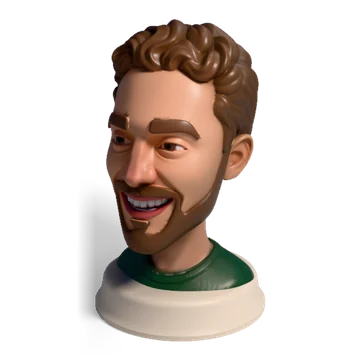

Questions
What does the PrintPal face generator make?
A 3D figurine from a selfie or portrait, in a Realistic, Cartoon or Tabletop Miniature style (the miniature comes with a base). You download it as STL, OBJ, GLB or FBX. PrintPal has a separate generator for pets.
Is the PrintPal face generator free?
PrintPal's pricing page lists a free plan with 10 AI generations a month and paid plans at $10 and $25 a month, with commercial rights on every plan. The face generator page lists monthly allowances for the Pro and Studio plans and a per-generation credit price otherwise, so check that page for what the free plan covers.
How is the Meshcast head generator different?
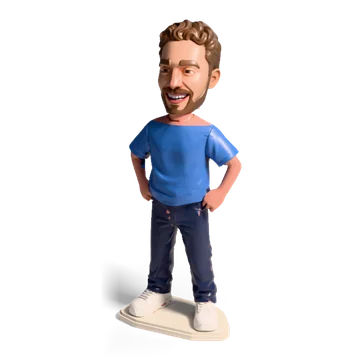
It is built around finished prints rather than a raw figurine: the head is turned automatically into a bust (on a stand or a name stand), bobblehead, mini figure, keychain or ornament, fridge magnet, can holder or planter, with print checks and an optional painted multi-colour 3MF, and a bust can go straight into a candle or soap mold. The example run is free before you sign in, and a free account gets 38 credits, enough for two colour heads.
Can I mold a head I made with PrintPal?
Yes. Download the STL from PrintPal, cut it flat under the neck if it does not stand, and open it in the Meshcast silicone mold maker or rigid box mold. Both take any STL.
Made by meshcast.app. Comparison based on PrintPal's public pages as read between 25 September and 1 October 2026; product details and prices change, so check their site before you pay. Questions? Email us.