STLFLIX AI alternatives: photo to 3D printable figure tools compared
This guide was drafted with AI assistance.
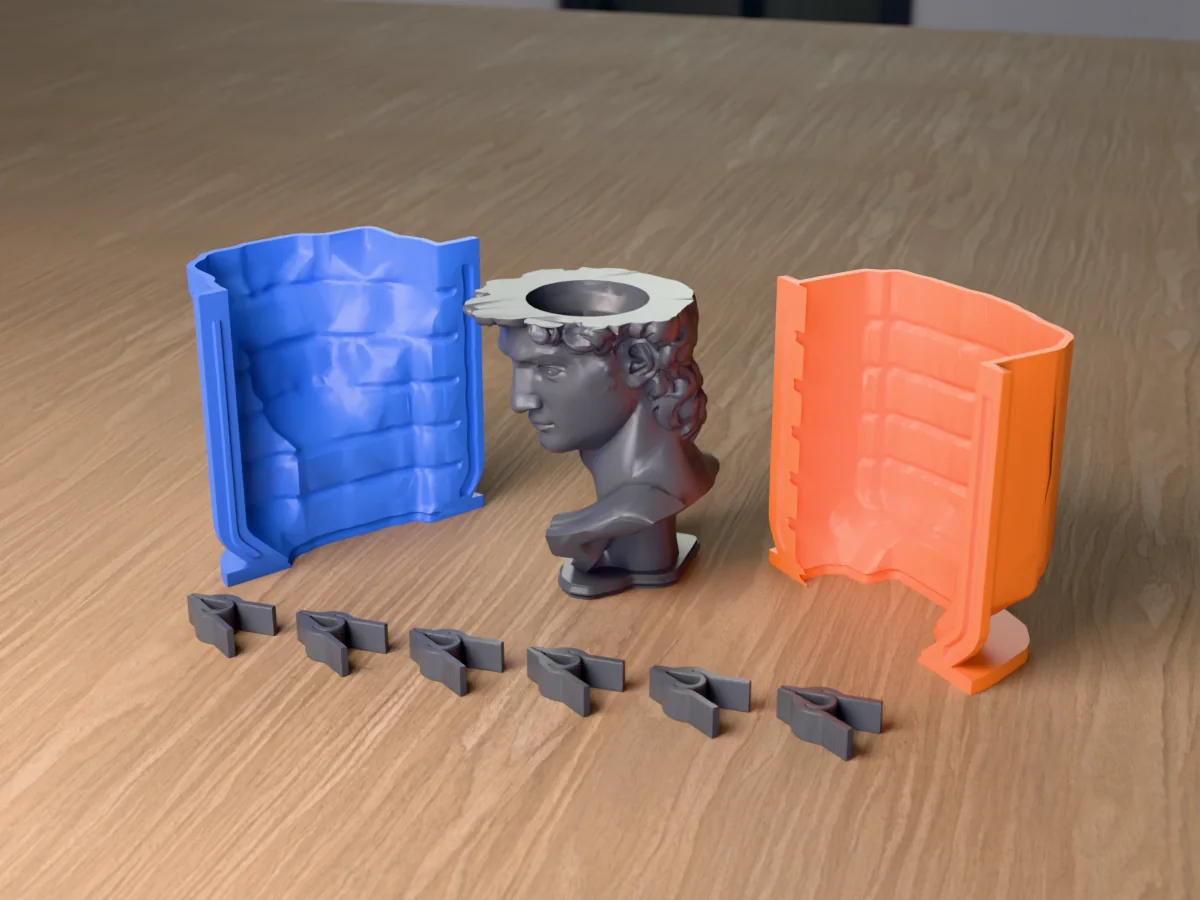
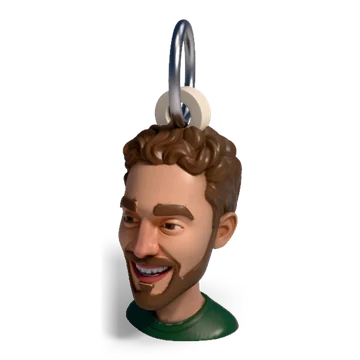
STLAI (STLFLIX's AI tool) turns one photo into a coloured 3D head or figure and lets you drop it into over 80 premade products. The main alternatives: Bambu Lab PrintU if you print on a Bambu and want a bobblehead or chibi in a few clicks, PrintPal if you want the raw STL of a face or pet plus a broad free tool kit, Meshy if you want the best general image-to-3D model and many export formats. Meshcast's head generator is built for one thing the others do not cover well: a head that becomes a finished print automatically, or the master for a candle, soap or resin mold.
The short answer
All of these tools run the same two-step trick under the hood: an image model redraws your photo as a clean "toy" or "sculpture" picture, and an image-to-3D model turns that picture into a mesh. The differences are in what happens around those two steps: how much a try costs, whether you can approve the picture before paying for the 3D, what the model becomes afterwards (a bust, a bobblehead, a keychain) and whether the file actually prints.
What this page says about other tools comes from their own public pages and from published hands-on reviews, read between 25 September and 1 October 2026. Where we relied on a review rather than the tool's own page, we say so. Prices change; check before you pay.
What STLAI does, in short
- Flow: upload a photo, get a 2D image (1 credit, with a few free retries), approve it, get a coloured 3D model (1 credit), then customise it. In a test run on our side, the 2D step took about a minute and the 3D step 4 to 6.5 minutes, longer than the 2 to 3 minutes the page promised.
- Products: over 80 "customizers", among them Mini Me figures with an outfit kit, magnetic portraits, a pet creator, trophies, keychains, can and phone holders, a Flexi Bobble and My Clay Molds, which makes a two-part block mold of a chibi figure. Each customizer reuses a head from your library without a new AI charge.
- Placement is by hand: you move, rotate and scale the head onto the product with on-screen handles.
- Price (their subscribe page): Personal $14.90 a month for 24 credits, Commercial $29.90 a month for 60 credits, yearly plans cheaper, extra credits $0.40 to $0.60. Selling what you print is what the Commercial plan is for.
- Files: STL, and a coloured export marked beta that opens in Bambu Studio and OrcaSlicer. Models you do not save expire after 10 days.
The alternatives, one by one
Bambu Lab MakerLab PrintU
Part of MakerWorld. Four styles (bobblehead, chibi, cartoon, emoji), a 2D preview you can retry before the 3D build, then an editor for colours, a base plate, a name tag and small pose changes. Exports 3MF set up for Bambu printers. It runs on MakerLab credits, which you can earn through MakerWorld activity or buy in packs. A reviewer at 3D Printing Journal paid 10 credits per full cycle; Bambu has since changed how MakerLab tools are billed, so check the cost the tool shows before you generate. The same reviewer found the multi-colour result used too many colours and needed fixing by hand in Bambu Studio. Bambu's Make My Statue, also in MakerLab, makes a bust from a photo with an optional base.
Good for: Bambu owners who want a bobblehead or chibi figure in a few clicks. Less good for: other printers, and anything past a figure on a base.
PrintPal face and pet generators
PrintPal has a Face to 3D Figurine Generator (Realistic, Cartoon and Tabletop Miniature styles, the miniature with a base) and a separate Pet to 3D Figurine Generator. Both export STL, OBJ, GLB and FBX. Their pricing page lists a free plan with 10 AI generations a month, Pro at $10 and Studio at $25, with commercial rights on every plan; the face page itself lists allowances for Pro and Studio. Around the generator sit 40+ free tools, including a mesh repair tool, a model splitter and a flexi creator.
Good for: getting a raw STL cheaply, and people who already use PrintPal's other tools. Less good for: finished products: what you get is a figurine, and turning it into a keychain or a bobblehead is your job. We compare it in more detail in PrintPal face generator alternative.
Meshy Creative Lab
Meshy is one of the strongest general image-to-3D engines. Its Creative Lab wraps it in product cards (chibi figure, vinyl figure, 3D keychain, pet keepsake, fridge magnet, plant pot and more). It runs a free printability check, sells an automatic repair, and exports 3MF, STL, OBJ, GLB, FBX and more. Meshy's page says the free tier includes a monthly credit allowance, enough for a handful of image-to-3D runs.
Good for: the best raw model and the most export formats. Less good for: print-specific details like a magnet pocket sized to your magnet or a cup sized to your can.
General image-to-3D (Tripo, Hunyuan 3D and others)
If you are comfortable in a slicer or Blender, the general generators make a good head for little or no money, and you add the base, the loop or the cut yourself. Nothing is set up for printing, so plan time for repair, scaling and supports.
Meshcast head generator
Our own tool, open to everyone. What it does:
- A photo of a person or a pet, a cartoon likeness and an expression. A clay preview to approve first; retrying the same preview costs nothing.
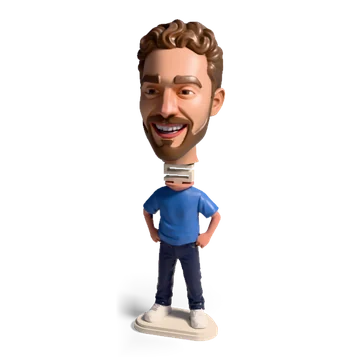
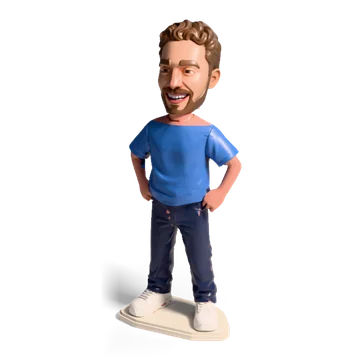
- One 3D head, then templates applied automatically, with no dragging: bust (on a stand, or a name stand), bobblehead (split at the measured neck, peg and socket), mini figure, keychain or ornament, fridge magnet (pocket cut for the magnet you pick, with or without a backing plate), can holder (bore sized for the can you pick), planter (sized for a nursery pot).
- One colour, or a painted multi-colour 3MF for AMS printers that you can touch up with a brush.
- Print checks before you download: thin spots, loose pieces, and a part too big for your printer. An open mouth is filled so it prints.
- The bust goes straight into the mold tools (see casting the head).
- Price: the example run is free before you sign in. Signed in, heads are paid in credits: a colour head costs 19 (1 for the clay picture, 18 for the all-round 3D build), a grey one 9. Every account starts with 38 free credits, enough for two colour heads; packs are 100 credits for 9.99, 250 for 19.99 and 600 for 39.99 (EUR, USD or GBP), and pack credits never expire.
- Your photo is sent to fal.ai to make the head and is never stored.
Side by side
"Not stated" means we could not find it on the tool's public pages. Meshcast's column describes our own tool.
| STLAI | Bambu PrintU | PrintPal face / pet | Meshy Creative Lab | Meshcast | |
|---|---|---|---|---|---|
| Approve a 2D image before the 3D build | Yes | Yes | Not stated | Yes, for figures | Yes, free retries |
| Pets | Pet creator | Not stated | Separate pet generator | Pet keepsake card | Yes |
| Finished products | 80+ customizers | Figure with base and name tag | Figurine (miniature with base) | Product cards | 7 templates, with stands, backings and extras |
| How the head is placed | By hand, with handles | Editor | Not applicable | Per card | Automatic, measured from the head |
| Colour | Coloured export (beta) | Multi-colour 3MF | Not stated | Separate multi-colour step | Painted 3MF |
| Files | STL, coloured 3MF | 3MF | STL, OBJ, GLB, FBX | 3MF, STL, OBJ, GLB, FBX and more | 3MF, STL |
| Mold of the head | My Clay Molds (block mold, chibi) | No | No | No | Silicone shell, rigid wax mold, plaster |
| Price model | Subscription with credits | MakerWorld credits | Free plan, then $10 or $25 a month | Free credits, then paid plans | Free example run, 32 welcome credits, then packs from 9.99 |
Where STLAI is stronger
If one of these is why you are shopping, STLAI is a fair choice:
- The widest product catalogue. Over 80 customizers, and new ones keep appearing. Nobody else, us included, has that many.
- Full mini figures. The Mini Me body with tops, bottoms, shoes and props, and a full-body chibi in My Clay Molds. Our mini figure puts the head on one of a set of premade bodies; theirs is dressed piece by piece.
- Part of a bigger STL subscription. If you already pay for STLFLIX, the account, the library and the support are one place.
- A plan written for sellers. The Commercial plan exists for people who sell what they print.
What to check before you pay for any of them
| Question | Why it matters |
|---|---|
| Can I see the 2D picture before paying for the 3D? | Most of the likeness is decided in the picture. A free or cheap retry there saves the expensive step. |
| What does one finished head cost me? | Count picture plus 3D plus any repair or colour step, not the headline plan price. |
| Is the file watertight and in real millimetres? | AI meshes often have holes, and some tools export at a fixed size you then rescale. |
| Will thin parts survive? | Ears, noses and hair strands under about 1 mm on a small print break off or vanish. |
| 3MF or only STL? | Multi-colour prints need a 3MF with colours assigned, or you paint it in the slicer. |
| Can I sell it? | Licences differ by plan and by tool. Read the plan terms, not a summary. |
| Does my file expire? | Download and keep the file; some services delete unsaved models. |
Casting the head: the part most tools skip
A printed head is one object. A mold of the head makes as many as you like, in wax, soap, plaster, concrete or resin, and that is where most of the craft value is: face candles and head-shaped soaps sell as gifts and decor, and almost nobody offers a mold made from your own photo.
A head is a hard shape to mold. Ears, the nose and the chin are undercuts that lock a cast into a rigid mold. That is why the usual answer is a silicone mold, which stretches past them. The steps, with any head STL:
- Cut the head flat under the neck so it stands; that flat face becomes the pour opening.
- Build a printed box or a contoured shell around it with the silicone mold maker; the contoured shell follows the head and uses less silicone.
- Pour platinum-cure silicone, demold, and cast wax, soap or resin in the silicone.
For a simple, rounded "big head" style with no deep undercuts, a two-part rigid box mold you pour wax straight into also works, and it highlights the undercuts before you print. The bust from a photo guide covers sizes and print settings.
Which to pick for which job
| Your job | Our pick |
|---|---|
| A bobblehead or chibi gift on a Bambu printer | Bambu PrintU |
| Many personalised products to sell, full figures with outfits | STLAI |
| A raw STL of a face or pet, cheaply | PrintPal or Meshy |
| The best general model, many file formats | Meshy |
| A head as a magnet, keychain, can holder or planter without placing anything by hand | Meshcast head generator |
| A candle, soap or resin cast of a head | Any of them for the head, then the Meshcast silicone mold maker |
What a photo can become
Open the head generator →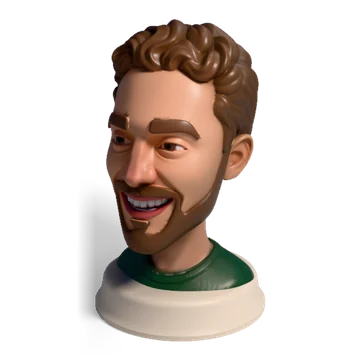


Questions
What is STLFLIX AI (STLAI)?
STLAI is the AI product of STLFLIX, the STL subscription site. You upload a photo, approve a 2D image, it builds a coloured 3D model, and then you drop that model into one of 80+ product customizers (mini figures, magnets, keychains, can holders, molds and more) and download a printable file.
Is there a free alternative to STLAI?
Partly. Bambu Lab's PrintU runs on MakerLab credits you can earn through MakerWorld activity or buy, PrintPal has a free plan with a monthly number of AI generations, and Meshy has a free monthly credit allowance. Each one limits how many models you can make, and the free tiers differ in licence and output quality, so check before you plan to sell.
Which alternative is best for a bobblehead?
Bambu Lab PrintU has a bobblehead style built in and exports a 3MF with base and name tag, which suits Bambu printer owners. STLAI has a Flexi Bobble customizer. Meshcast's head generator splits the head at the measured neck and adds a peg and socket automatically, with an optional mini body to stand it on.
Can I make a candle or soap mold of a head from a photo?
Yes. STLAI's My Clay Molds makes a two-part block mold of a chibi figure. With any other tool you can export the head as an STL and build the mold yourself: Meshcast's silicone mold maker and rigid box mold take any STL, and the Meshcast head generator hands a finished bust straight to them.
Can I try the Meshcast head generator for free?
Yes. The example run on the head generator works before you sign in, so you can try every template on a sample head first. A free account then gets 38 welcome credits, enough for two colour heads. After that, credit packs start at 100 credits for 9.99 and never expire. Your photo is sent to fal.ai to make the head and is never stored.
Made by meshcast.app. Comparison based on each tool's public pages and on published reviews (3D Printing Journal for PrintU), read between 25 September and 1 October 2026. Product details and prices change, so check their sites before you pay. Questions? Email us.