How to make a silicone mold from a 3D print
This guide was drafted with AI assistance.
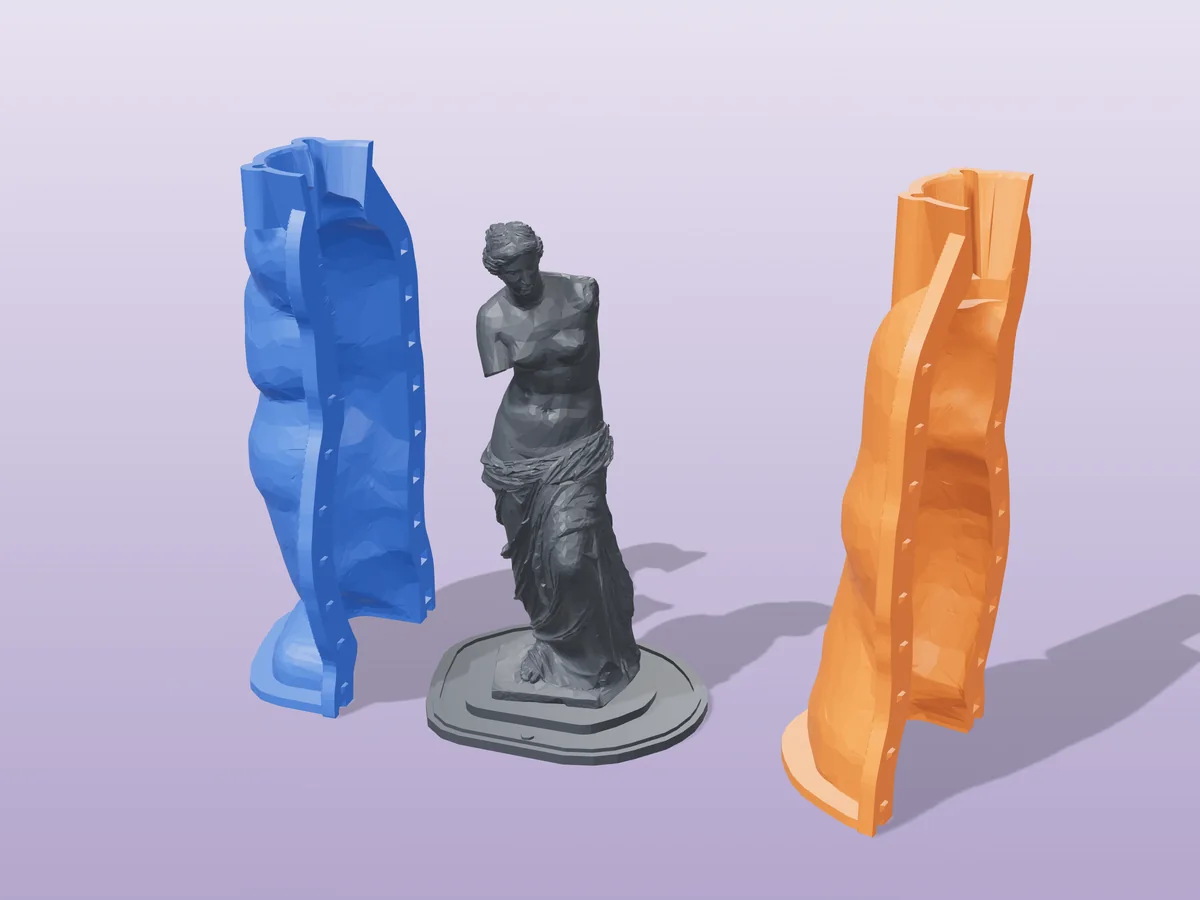
You don't print the mold, you print a rigid formwork around your master and pour silicone into the gap. Generate the formwork with the silicone mold generator, print it in PLA or PETG, pour a platinum-cure silicone (20A–30A shore), cure 4–24 hours, and peel off a flexible mold good for dozens of casts.
What the generator does, and what it doesn't
Handled for you
- Builds the whole formwork box around your master: walls, floor, headroom and side padding
- Adds pin-and-socket registration and a press-fit clearance, so the shell closes square and opens again
- Estimates how much silicone the pour will actually take, before you buy any. Want that number without uploading anything first? The silicone calculator works it out from your object's dimensions
- Offers a round shell in 2 or more pieces when a rectangular box would waste silicone
Still your call
- What you print is the formwork, the box you pour silicone into. It is not the mold itself
- A box uses noticeably more silicone than a hugging shell. For a figurine, adaptive silicone is usually the cheaper pour
- The model has to be watertight. A surface scan with holes has no inside for silicone to flow around
If the generator refused your file, the message is explained here: why was my model rejected. Almost every rejection is the same thing, a mesh with holes, and the “Fix it for me” button in the popup resolves most of them in one click.
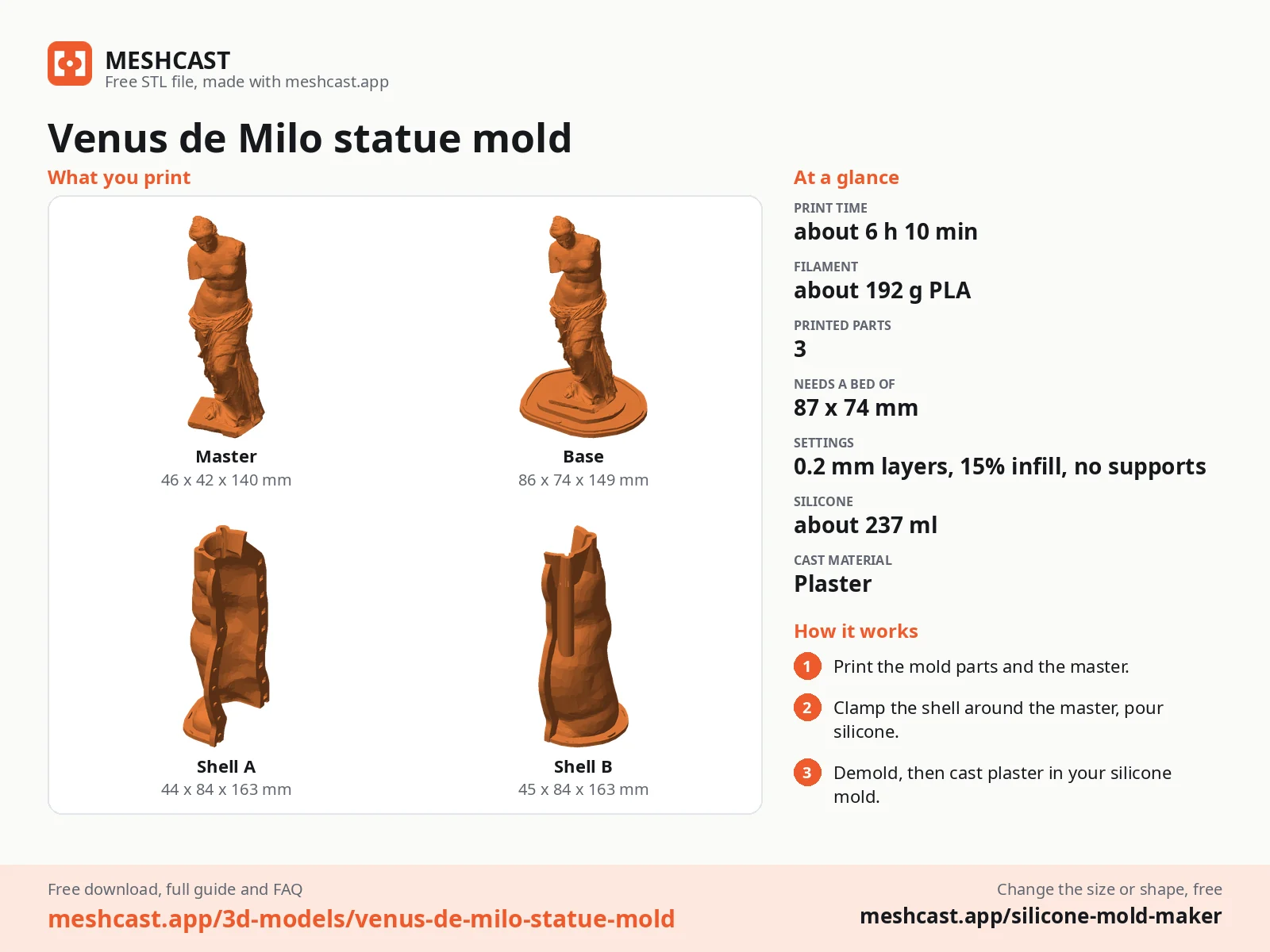
The print is the formwork, not the mold
Three shapes of mold box
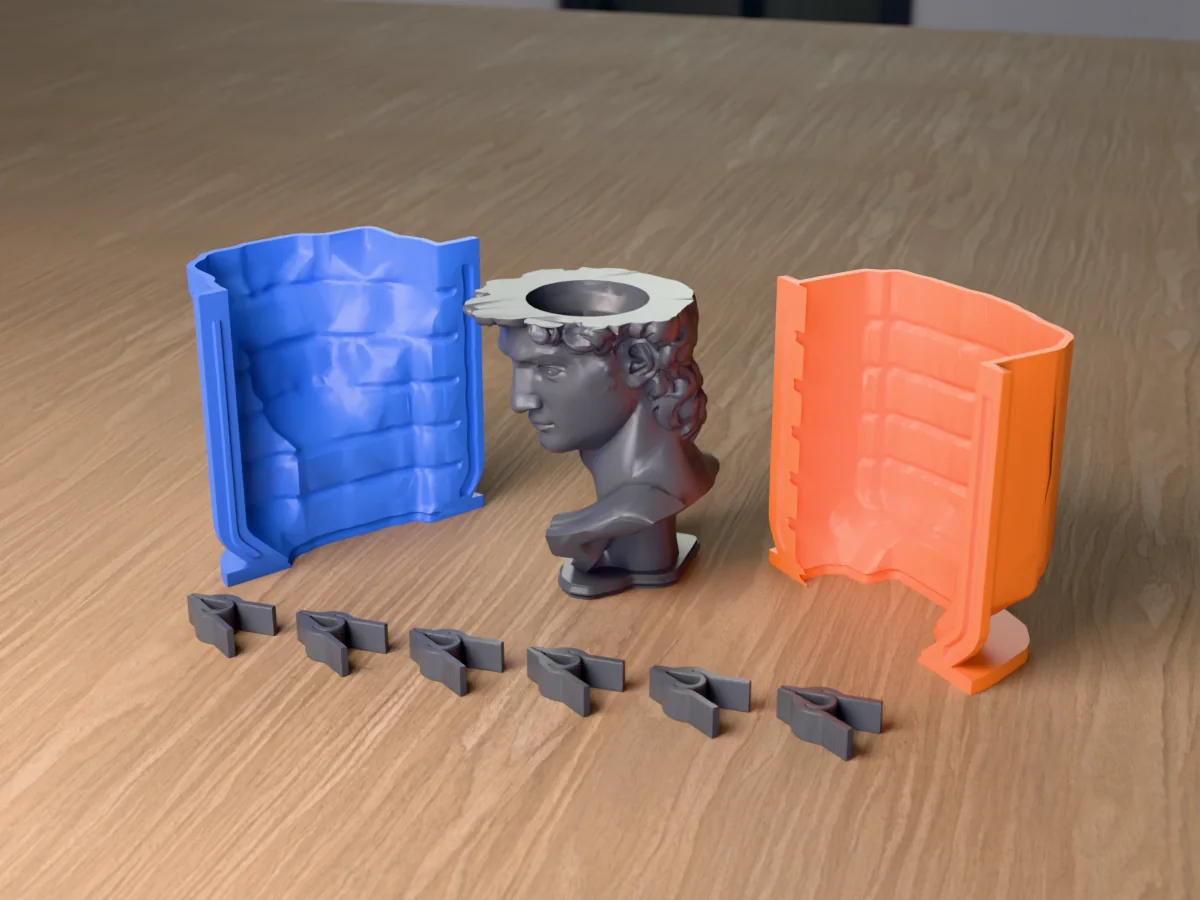
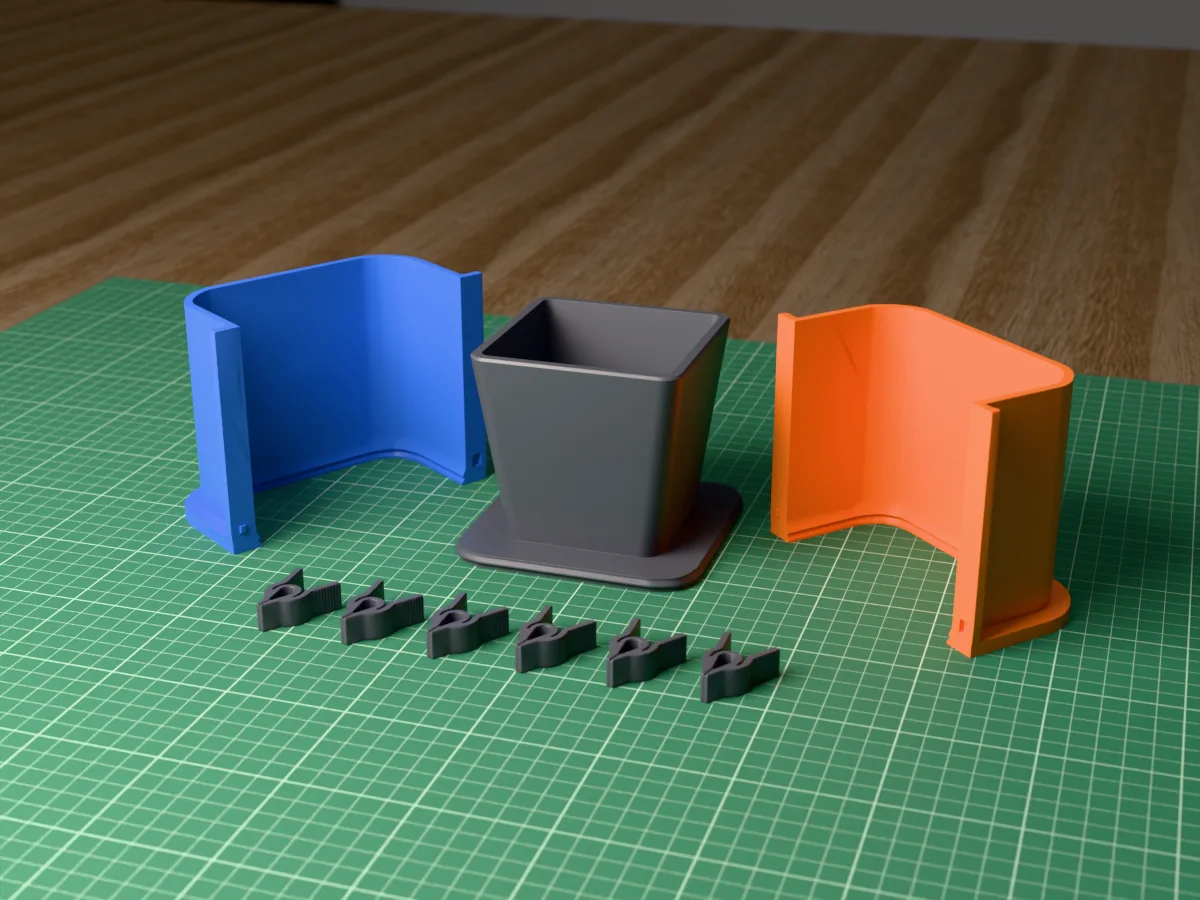
 Square boxThe easiest to print and clamp.
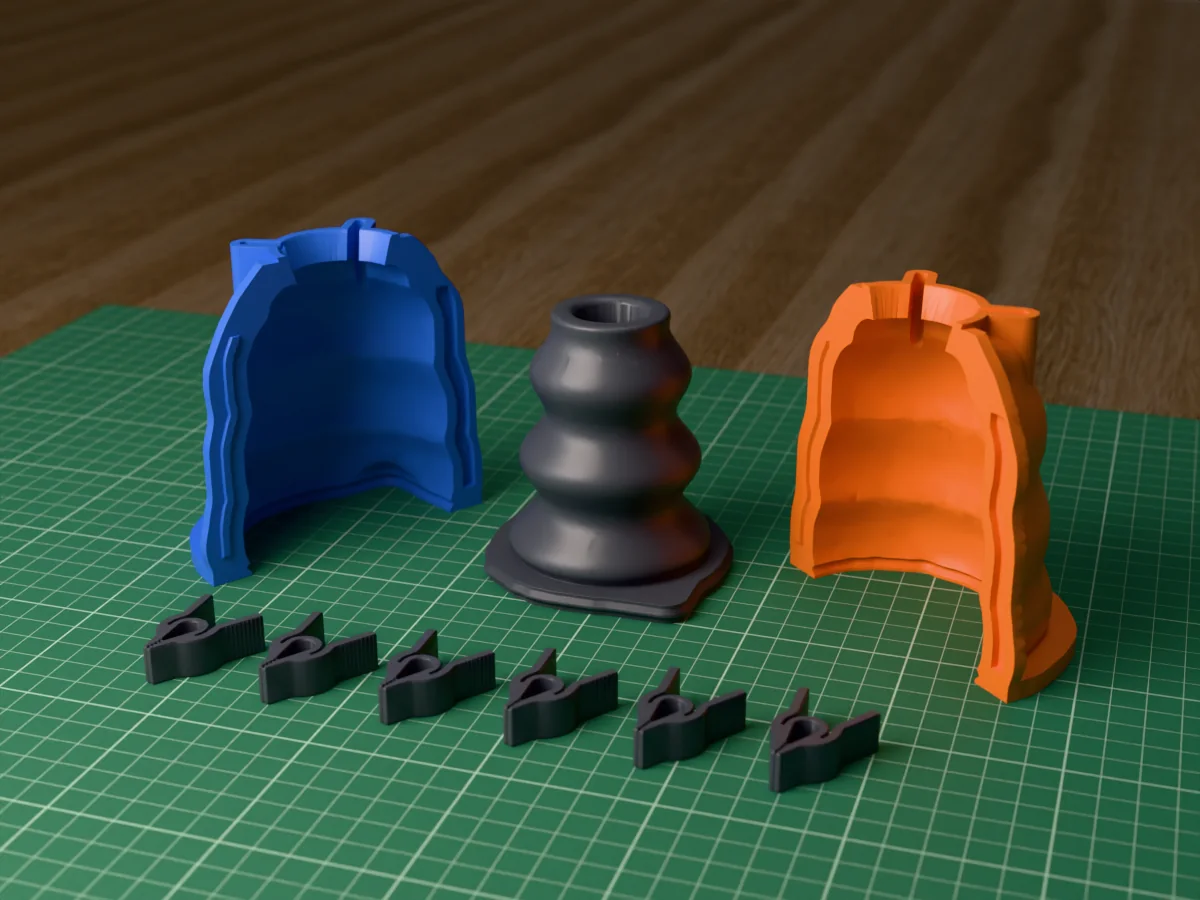
 Round boxA little less silicone than square.
 Hugging shellWalls follow the model, so it takes less silicone.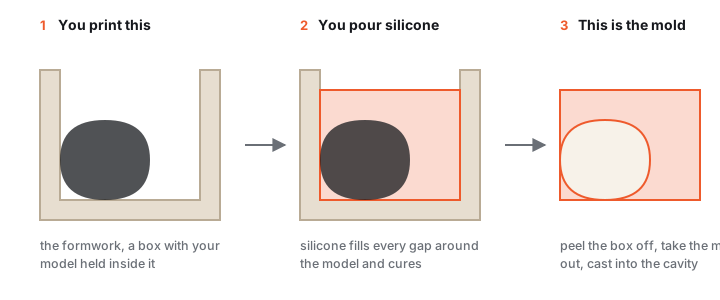
A silicone mold reproduces fine detail with a clean release, ideal for resin, wax, soap, plaster and chocolate. The cheapest, most repeatable way to make one is to surround your master with a printed shell and fill the gap with silicone. Hand-blocking with foam board wastes silicone and leaves uneven walls; a generated formwork keeps a consistent gap on every face, so full coverage costs the least material.
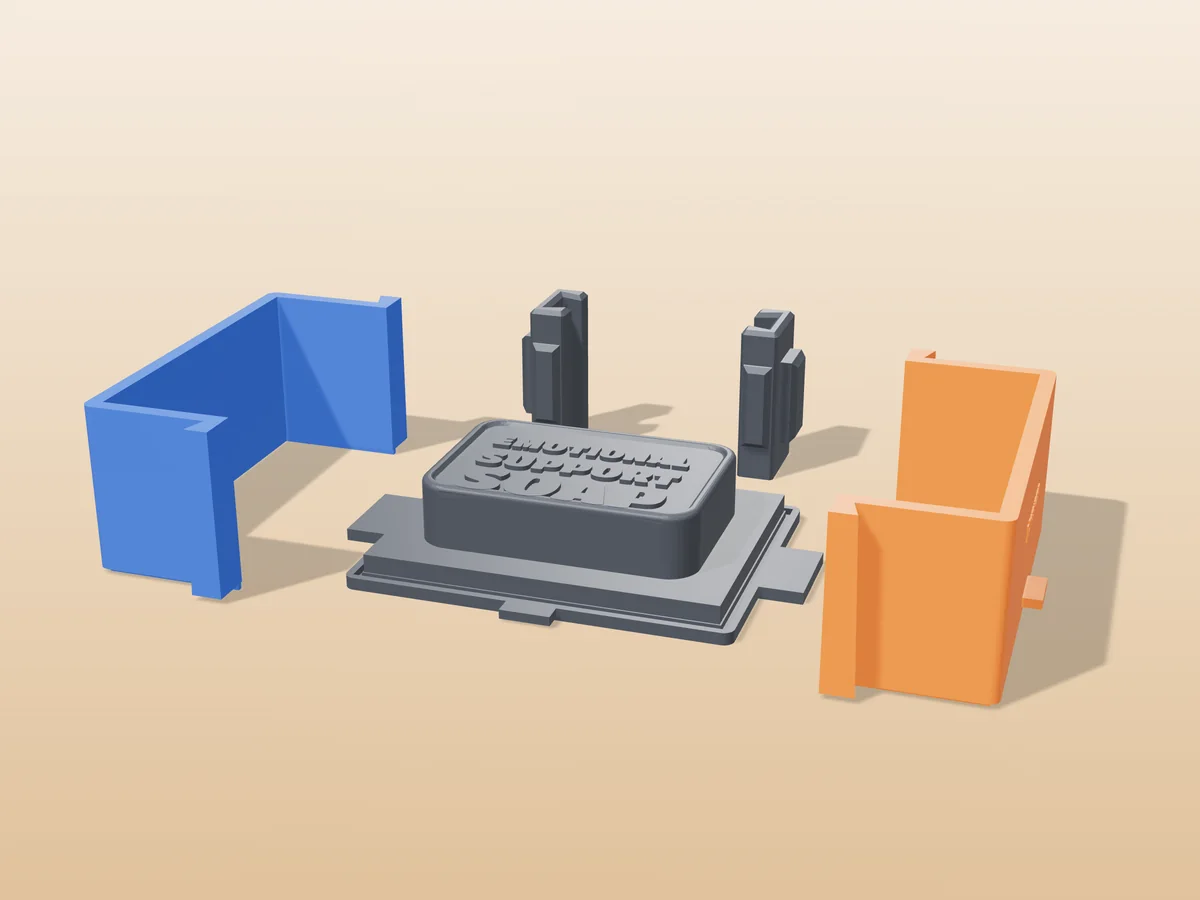
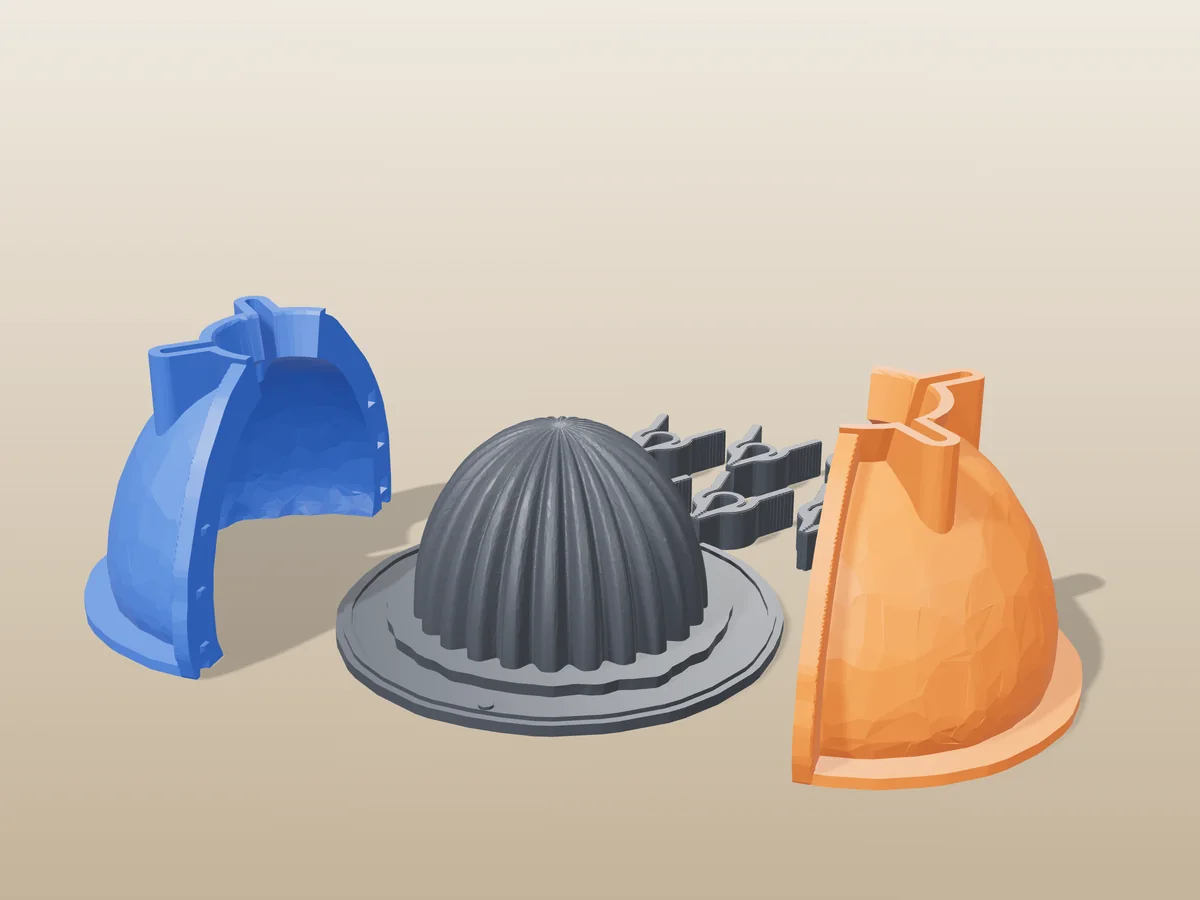
The generator builds three printable parts from your STL: a base with your model's positive merged in, the outer shell walls (rectangular = 2 pieces, round = 3 or 4 panels), and self-cinching dovetail seam clamps that lock it all shut. It also scales the positive up to compensate for silicone shrinkage. Casting a liquid straight into a printed two-part mold is sometimes simpler, see silicone vs direct-print molds and the STL-to-mold guide for that route.
What you'll need
- Silicone: platinum-cure (addition), 20A–30A shore, durable and tear-resistant. Tin-cure is cheaper but shrinks slightly more and has a shorter library life. Food casts need a food-safe grade.
- Filament: PLA or PETG, the shell only has to hold its shape while the silicone cures.
- A digital scale for the mix ratio, plus mold release or sealer for porous prints.
- Optional: a vacuum chamber for degassing fine-detail pours.
STL to silicone mold in 5 steps
Generate and print the formwork
Open the silicone mold generator, drop in your STL (or load a sample), pick rectangular or round and 2–4 shell pieces, and set the silicone thickness on each face. Download and print in PLA or PETG. Test print one dovetail clamp first to check the fit on your printer.
| Setting | Suggested |
|---|---|
| Pour gap (silicone thickness) | 4–8 mm |
| Layer height | 0.2 mm |
| Walls | 3 |
Seal the master and close the shell
FDM prints are porous, seal the positive (a wipe of mold release, a thin clear coat, or a brushed skim of the same silicone) so air in the layer lines doesn't bubble into the mold face. Stand the base on the table and slide each shell wall in over the table until the ridge round the base plate sits in the groove at the wall's foot, then slide the dovetail clamps down over the seams. Once they are on, the walls cannot lift off the base, and the ridge in its groove seals the bottom.
Mix the silicone
Weigh part A and part B to the manufacturer's ratio (often 1:1 or 10:1 by weight). Stir slowly and thoroughly, scraping the sides and bottom, unmixed streaks stay sticky forever. Mind the pot life; warm rooms cure faster.
Degas and pour
Vacuum-degas if you have a chamber, the mix rises, foams and falls as air leaves. Then pour in a thin stream from one corner so the silicone walks up and over the master and trapped air escapes instead of pocketing under detail. On intricate shapes, brush a thin detail coat onto the master before the main pour.
Cure and demold
Leave it undisturbed for the full cure, typically 4–24 hours depending on the silicone. Take the clamps off, slide the shell walls straight out, and peel the flexible mold off the master. The formwork is reusable for repeat pours of the same shape. Ready to cast? The casting guide takes it from here.
Free silicone mold kits
All free designs →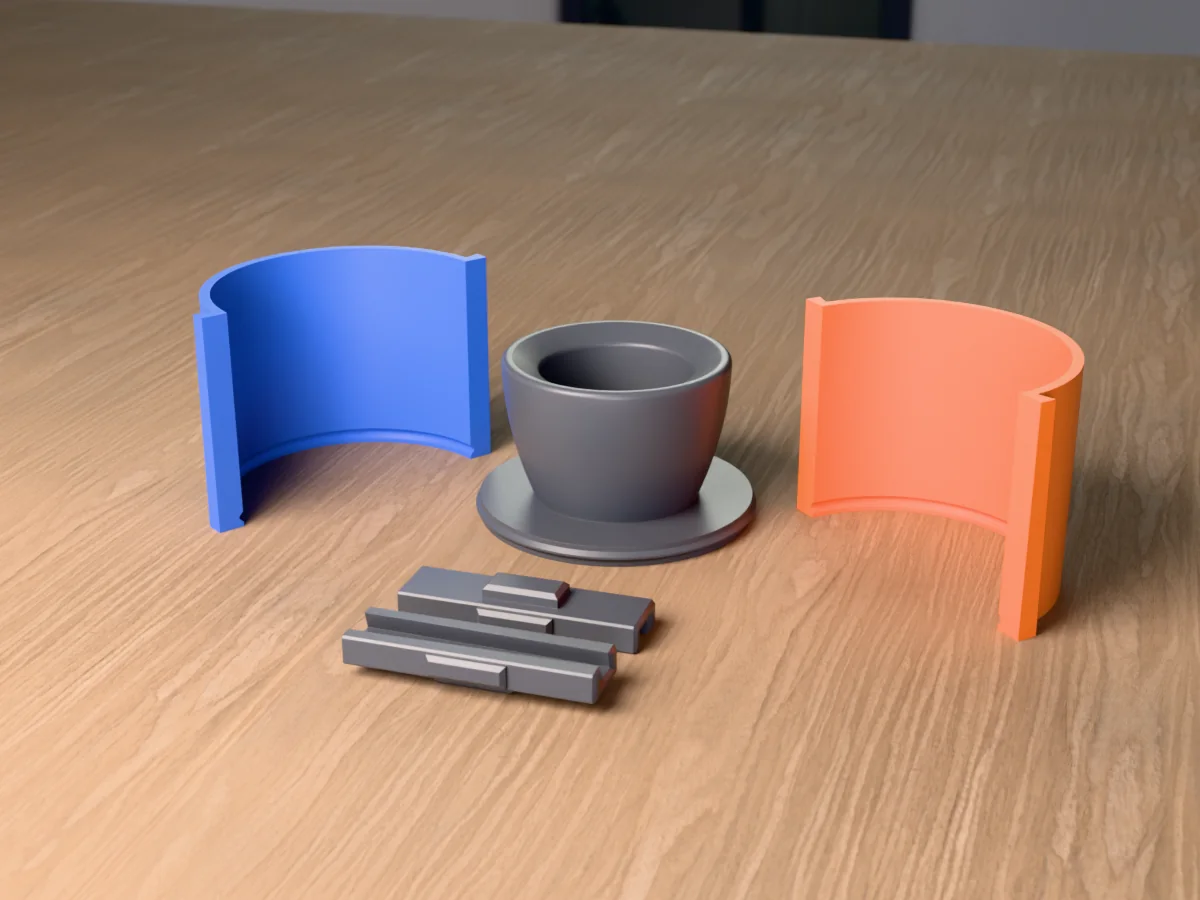
Silicone mold troubleshooting
The silicone stayed sticky, or never cured in one spot
Cause Cure inhibition, and it is almost always platinum-cure silicone touching something it hates. The usual culprits are sulfur-based modelling clay, latex gloves, tin-cure silicone residue, some spray paints and lacquers, and superglue or its fumes.
Fix Seal the master before you pour. A couple of light coats of shellac or acrylic spray, fully dry, isolates almost anything. Wear nitrile gloves, never latex, and do not reuse a formwork that has had tin-cure silicone in it.
Test first If you are unsure about a material, smear a coin-sized blob of the mixed silicone on it and leave it overnight. If that blob cures firm, the pour will too. That five-minute test is far cheaper than a litre of ruined silicone.
Bubbles all over the mold surface
Cause Air folded in while mixing, plus air trapped against the master as the silicone climbs past detail.
Fix Mix slowly, scraping rather than whipping, and pour a pencil-thin stream from about 30 cm up into one corner only. Let the silicone find its own way around the master; the falling stream pops most of the bubbles and the slow rise pushes the rest ahead of it.
Better Brush a thin coat of silicone onto the detailed face of the master first, then pour the bulk on top. That puts a bubble-free layer exactly where it matters, which is the only surface that shows on the cast.
The formwork leaked while the silicone cured
Cause Silicone is thin and heavy and it will find any gap. Layer lines on a mating face are enough; so is a shell printed with two walls that bows under the weight.
Fix Run a bead of hot glue or a strip of tape around the outside of every seam before pouring. Print with 3 walls minimum. Stand the formwork in a tray, so a leak costs you silicone and not your bench.
Do I pour silicone into the 3D print, or is the print the mold?
You print a rigid formwork that wraps your master with an even gap, then pour liquid silicone into that gap. Once it cures you peel the flexible silicone mold off both the print and the master.
This trips people up because it is one extra step than expected, and it is the step that makes the whole thing work: a printed mold is rigid and cannot release detail, silicone can. The printed formwork is reusable, so you only pay that step once per design.
Which silicone should I buy?
Two decisions: the cure system, and the hardness.
Cure Platinum (addition) cure lasts longest, shrinks least and is the one to buy if you are choosing once. Tin (condensation) cure is cheaper, tolerates contamination that would stop platinum dead, and is the safer pick if your master is sulfur clay or an unknown printed resin. Tin molds shrink slowly over months and have a shorter shelf life.
Hardness 20A to 30A shore covers almost everything. Softer than 20A tears at thin walls; harder than 30A stops flexing over undercuts, which was the whole reason to use silicone.
Food For chocolate, ice or gummies you need a grade that explicitly states food contact compliance. "Non-toxic" on a datasheet is not the same claim.
How much silicone gap should the formwork leave?
4 to 8 mm around the master. The generator shows the volume that gap will cost before you print.
Too thin Under about 4 mm the mold tears at the thinnest section, usually on the second or third demold rather than the first, which is why it is easy to miss.
Too thick Over about 10 mm the mold is stiff, expensive, and no better at releasing. Deep or highly detailed masters are the exception: give those the top of the range.
Do I need a vacuum chamber or a pressure pot?
No, and they solve different problems, which is worth knowing before you spend anything.
Vacuum Pulls air out of the silicone before you pour. It is the one that helps mold-making, and it matters most for fine detail.
Pressure Crushes bubbles in the cast while it cures. It does nothing for the mold, so it belongs to resin casting, not to this step.
Neither The thin-stream pour above gets most of the way there for free. Buy a vacuum chamber when bubbles are actually costing you casts, not before.
How many casts will one silicone mold survive?
For wax and soap, typically 50 to 100 pours. For resin, roughly 20 to 50, because the exotherm and the release agents attack the surface far faster.
What kills it Heat, aggressive release agents, and tearing thin sections on demold. Platinum-cure noticeably outlasts tin-cure at all of them.
Extends it Because the formwork is a reusable print, you can simply pour a fresh mold when the old one dulls. Keep the master.
A tall formwork bows or leans while it cures
Cause The weight of uncured silicone against a printed wall, over several hours. Two-wall prints flex noticeably.
Fix Print 3 walls minimum, then brace externally: a container of dry rice or sand supports the box on every side, and it costs nothing. Clamping between two offcuts works too.
Also Stand it in a tray. A slow leak that you catch is an inconvenience; the same leak on a bench is an evening.
One of the downloaded parts is just a solid copy of my model
That is the reference model, named master*. It rides along so the viewer can show your model nested inside the mold. It is not a printable mold part.
You will not normally see it The combined “Download mold” and the all-parts zip already exclude it. It only appears if you download parts one at a time, where it stays available deliberately, for anyone who wants a copy of the master.
My object is not symmetrical, so the automatic split does not work
The problem A hand, a face, an organic form: there is no plane that leaves both halves free of undercuts, so no automatic two-part split can be right.
The workaround Do not use a two-part rigid split at all. Brush-on is the technique for these: build silicone up in layers over the master, then make a rigid two-part jacket around the cured silicone, where the parting line only has to clear the jacket and not the detail.
From this tool Generate the formwork for the jacket rather than for the piece, and cut your own registration line into the silicone with a scalpel in a wavy path, which keys itself back together far better than a straight cut.
Status A user-drawn split line is a real gap and is not built yet.
Made by meshcast.app. Got stuck? Email a photo and I'll help you debug.