Want your own version? Make it free in our golf ball stencil tool. A free account gives you free downloads every week.
Print only~15 g
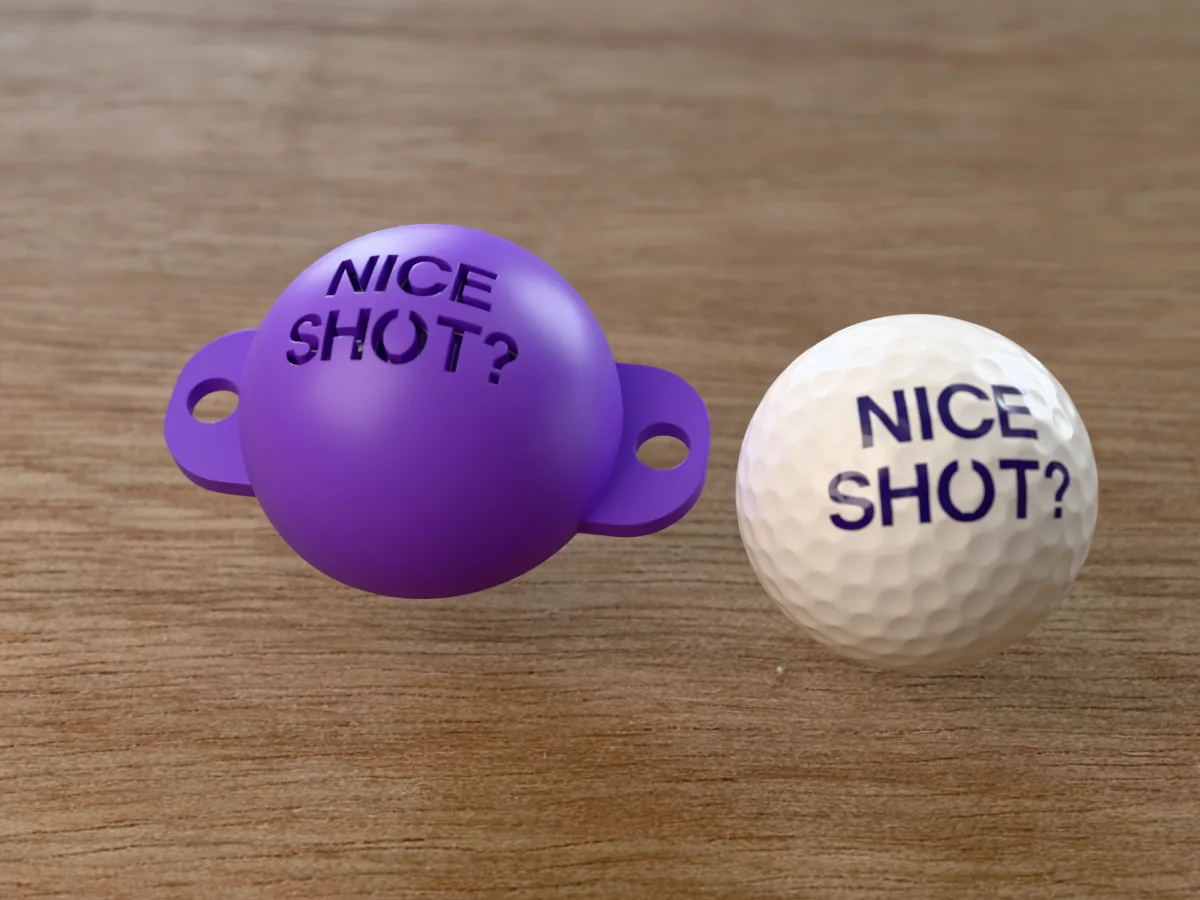
The compliment you give your partner when the ball has gone somewhere, just not where anyone expected. NICE over SHOT?, two lines in big letters. The O keeps its middle on one thin stencil bridge, and the question mark cuts as a hook and a dot, so the joke is in the punctuation.
Read more
Made with our free golf ball stencil generator, not modelled by hand: we typed NICE / SHOT? into its Initials field on two lines, chose the Bold & Blocky font and set Size to 30 mm. Everything else is the tool's default, and the STL in the zip is exactly what the tool gives you: a 70 by 48 mm cap for a standard 42.67 mm ball, with a 2.4 mm wall, 0.5 mm of clearance, a skirt that reaches 12 degrees past the middle of the ball so it cups it, and two tabs with 7 mm holes for a rubber band. Like every free download from the tool, it carries a small raised MESHCAST mark on its underside, along one tab.
Seat it on the ball, draw through the openings with a fine permanent marker, lift it off, and the joke is on the ball in under a minute. It makes a cheap, quick gift for a golfer: print the cap, mark a sleeve of balls, hand over both.
Shown as a 3D render of the printed stencil on a golf ball and a second ball with the words drawn through it, not a photo.
What you need
4
A standard golf ball, 42.67 mm
A fine permanent marker (the letters are small, a chisel tip is too broad)
About 15 g of PLA or PETG
A rubber band, if you want to hold the cap on through the tab holes
How to make it
5
1
Print the file as exported: rim flat on the bed, dome up, with tree supports on (organic in PrusaSlicer).
2
Peel the supports out of the inside of the dome.
3
Wipe the ball clean so the ink bites, then seat the cap on top and press the rim down until it cups the ball.
4
Draw through each opening with short strokes from the edges inwards.
5
Lift the cap straight up and leave the ink for a minute before you touch it.
Print details
1 h 20 minPrint time
~15 gFilament
1Printed parts
70 × 48 × 29 mmSize (W x D x H)
All print details
Print details
Type
Print only
Printed parts
1
Size (W x D x H)
70 x 48 x 29 mm
Print bed needed
71 x 49 mm, 30 mm tall
Filament
~15 g
Layer height
0.2 mm
Infill
15%
Supports
Yes
Download
ZIP: stencil cap (STL) + README with print settings
Free download. Opens the Thingiverse listing in a new tab.
Free for personal use. Selling the printed piece itself needs a commercial licence (Pro or Founder); passing on the file is not permitted on any plan. Full terms.
Does the question mark on the NICE SHOT? golf ball stencil print properly?
Yes. The hook and the dot of the question mark are two separate openings with solid plastic between them, so nothing is loose. Draw the hook in one stroke and dab the dot with the pen tip, and it comes out clean on the ball.
How do I print the NICE SHOT? golf ball stencil?
Print it as exported, rim flat on the bed and the dome up, with tree supports switched on (organic in PrusaSlicer, tree in Bambu Studio, Orca and Cura). They hold up the inside of the dome and peel out easily. At 0.2 mm layers and MK3-class speeds it takes about 1 h 20 min and 15 g of PLA (estimated from the file, not sliced); a current printer is faster.
Can I change the words on the NICE SHOT? golf ball stencil?
Yes. Open the free golf ball stencil generator, choose Initials and type your own words, up to two lines of six characters, and pick the Bold & Blocky font to match this one. The Ball size, Clearance and Size sliders fit a different ball or change the mark; this one uses a Size of 30 mm.