Can ChatGPT or Claude make a mold for my 3D print? We tested it
This guide was drafted with AI assistance.
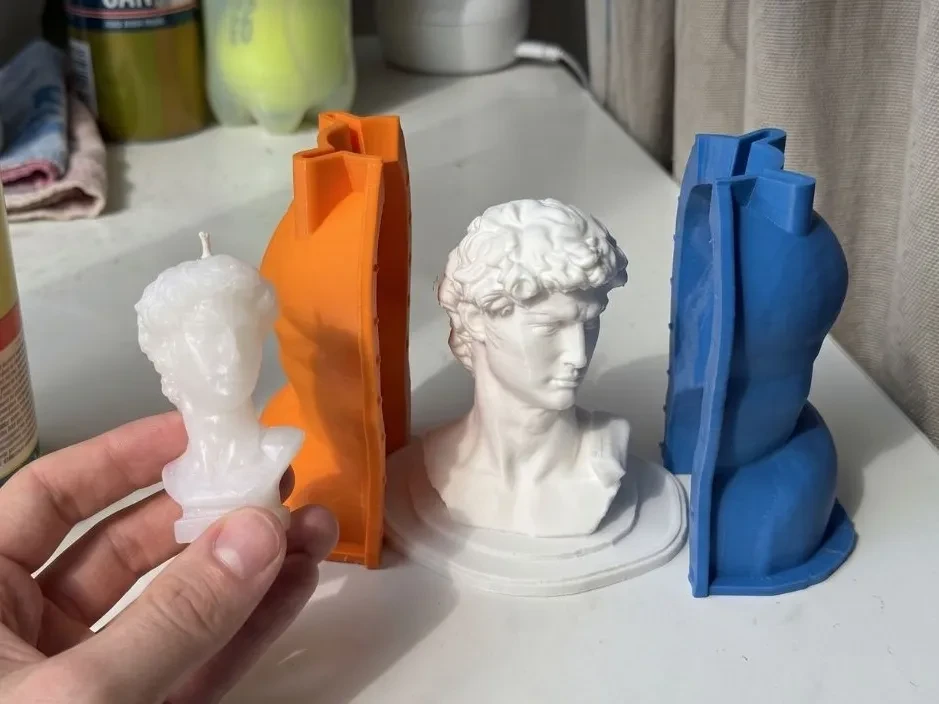
Yes for simple shapes, if you can run code and check the result yourself. We ran the two-part mold script an assistant writes in one reply on 14 models. It made watertight halves for all 14 in seconds, but only the sphere was ready to use. On most figures the pour hole ended in solid plastic, and the split left 31 to 71% of the surface gripped by a rigid mold. None of it shows on screen.
What ChatGPT, Claude and Gemini can do with an STL
| Runs code on your file | Mesh libraries | File size | Shows the mold in 3D | |
|---|---|---|---|---|
| Claude (claude.ai) | Yes, on every plan, and hands back files | Free, Pro and Max can install packages from PyPI, where trimesh and manifold3d live | 30 MB per file, in and out. Task length is capped, no figure given | Not by itself |
| ChatGPT | Yes, Python in a sandbox, and hands back files. The API version defaults to 1 GB of memory and closes after 20 idle minutes | OpenAI's docs don't list which packages are there | 512 MB per file | Not by itself |
| Gemini (API code execution) | Python, stopped after 30 seconds. Returns charts as images, no other files | None in its list, and “You can't install your own libraries” | “Works best with text and CSV files” | No |
From each vendor's own documentation, opened 14 October 2026: Anthropic, Create and edit files with Claude; OpenAI, Code Interpreter, plus a third-party summary for the 512 MB limit, because OpenAI's help page refused our request; Google, Gemini API code execution (updated 13 October 2026). We did not test the three apps themselves. These limits change, so check the date.
File size is not a footnote. About one in five models that people upload to Meshcast's mold tools is bigger than 30 MB.
The test
On 14 October 2026 we asked Claude (the same assistant that drafted this guide) for the script it would give anyone who types:
Make a two-part mold of my STL for casting, with registration keys, a pour spout and air vents.
It wrote a competent, generic Python script, the kind you get in one reply. The script:
- loads the STL with trimesh and, if it is not watertight, runs trimesh's quick repair;
- puts a box around the model with 10 mm walls and subtracts the model with manifold3d;
- splits the box at half the model's height;
- adds four ball-shaped registration keys at the corners, with 0.3 mm clearance;
- drills a 10 mm pour hole straight down over the middle of the model, to 1 mm below its top;
- drills two 3 mm air vents down to the model's two highest points.
We ran it ourselves, outside the chat apps, on 14 example models from Meshcast's mold tools: a sphere, a chess pawn, a teddy bear, a chonky cat, an owl, a rubber duck, a frog in a cowboy hat, a mug, a vase, a planter, a sitting cat, the David and Hercules busts and the Venus de Milo. Four of the files were not watertight, like plenty of downloads. Then we broke the teddy bear the two ways real files are usually broken: a ball pushed into its body as a separate part, and a 6 mm hole in its surface.
For every mold we checked what you would otherwise find out at the bench. Does the pour hole reach the cavity? Will the cast come out of a rigid mold pulled straight apart? Is every high point vented? Is any piece of the mold loose?
Show the script we ran (Python, 100 lines)
"""The kind of script a general assistant writes in one turn when asked:
"Make a two-part mold of my STL for casting, with registration keys, a pour
spout and air vents." Written deliberately as a competent generic answer:
trimesh to load and repair, manifold3d for booleans, split at mid height,
four corner keys, a spout over the model's top, two vents at the highest
points. No knowledge of Meshcast's engine is used.
"""
import sys, json, time
import numpy as np
import trimesh
import manifold3d as m3d

WALL = 10.0        # mm of mold material around the bounding box
KEY_R = 4.0        # registration key radius
KEY_CLEAR = 0.3    # clearance on the female key
SPOUT_D = 10.0
VENT_D = 3.0

def to_manifold(mesh: trimesh.Trimesh) -> m3d.Manifold:
    mm = m3d.Mesh(vert_properties=np.asarray(mesh.vertices, dtype=np.float32),
                  tri_verts=np.asarray(mesh.faces, dtype=np.uint32))
    return m3d.Manifold(mm)

def to_trimesh(man: m3d.Manifold) -> trimesh.Trimesh:
    mm = man.to_mesh()
    return trimesh.Trimesh(np.asarray(mm.vert_properties)[:, :3], np.asarray(mm.tri_verts), process=False)

def cylinder(d, z0, z1, x, y):
    return m3d.Manifold.cylinder(z1 - z0, d / 2, d / 2, 48).translate((x, y, z0))

def make_mold(path, out_prefix):
    report = {"file": path}
    t0 = time.time()
    model = trimesh.load(path, force="mesh")
    report["input_watertight"] = bool(model.is_watertight)
    if not model.is_watertight:
        # the usual one-shot "repair"
        trimesh.repair.fill_holes(model)
        trimesh.repair.fix_normals(model)
        report["after_trimesh_repair_watertight"] = bool(model.is_watertight)
    model.apply_translation(-model.bounds[0])
    lo, hi = model.bounds
    man = to_manifold(model)
    report["manifold_status"] = str(man.status())
    if man.is_empty():
        report["result"] = "FAILED: model could not be turned into a solid for booleans"
        report["seconds"] = round(time.time() - t0, 2)
        return report

    size = (hi - lo) + 2 * WALL
    box = m3d.Manifold.cube(tuple(size)).translate(tuple(lo - WALL))
    cavity_block = box - man
    split_z = float((lo[2] + hi[2]) / 2)
    big = 10000.0
    below = m3d.Manifold.cube((big, big, big)).translate((-big / 2, -big / 2, split_z - big))
    above = m3d.Manifold.cube((big, big, big)).translate((-big / 2, -big / 2, split_z))
    bottom = cavity_block ^ below
    top = cavity_block ^ above

    # four keys at the corners of the parting face, inset half a wall
    bx0, by0 = lo[0] - WALL / 2, lo[1] - WALL / 2
    bx1, by1 = hi[0] + WALL / 2, hi[1] + WALL / 2
    for (x, y) in [(bx0, by0), (bx1, by0), (bx0, by1), (bx1, by1)]:
        male = m3d.Manifold.sphere(KEY_R, 48).translate((x, y, split_z))
        female = m3d.Manifold.sphere(KEY_R + KEY_CLEAR, 48).translate((x, y, split_z))
        bottom = bottom + (male ^ above)      # bump on the bottom half
        top = top - female                    # socket in the top half

    # pour spout: straight up from the top of the model at the bbox centre
    cx, cy = float((lo[0] + hi[0]) / 2), float((lo[1] + hi[1]) / 2)
    top = top - cylinder(SPOUT_D, float(hi[2]) - 1.0, float(hi[2]) + WALL + 1, cx, cy)
    # two vents at the two highest vertices that are at least 10 mm apart
    order = np.argsort(-model.vertices[:, 2])
    vents = [model.vertices[order[0]]]
    for i in order[1:]:
        if np.linalg.norm(model.vertices[i][:2] - vents[0][:2]) > 10:
            vents.append(model.vertices[i]); break
    for v in vents:
        top = top - cylinder(VENT_D, float(v[2]) - 0.5, float(hi[2]) + WALL + 1, float(v[0]), float(v[1]))

    tb, tt = to_trimesh(bottom), to_trimesh(top)
    tb.export(out_prefix + "_bottom.stl"); tt.export(out_prefix + "_top.stl")
    report.update({
        "result": "produced two halves",
        "split_z": round(split_z, 2),
        "spout_xy": [round(cx, 2), round(cy, 2)],
        "vents": [[round(float(c), 2) for c in v] for v in vents],
        "bottom_watertight": bool(tb.is_watertight), "top_watertight": bool(tt.is_watertight),
        "mold_volume_cm3": round((tb.volume + tt.volume) / 1000, 1),
        "seconds": round(time.time() - t0, 2),
    })
    return report

if __name__ == "__main__":
    print(json.dumps(make_mold(sys.argv[1], sys.argv[2]), indent=1))
Results, model by model
| Model | Pour hole reaches cavity? | Surface gripped: as split / best | What else |
|---|---|---|---|
| Sphere | Yes | 0% / 0% | Ready to use |
| Chess pawn | Yes | 63% / 0.2% (split down its side) | One of its two vents ends in solid mold |
| Teddy bear | No, stops 4.5 mm above the head | 53% / 0.4% | 3 of the 6 high spots in the top half have no vent |
| Chonky cat | No | 43% / 2.7% | 8 of the 11 high spots in the top half have no vent |
| Owl | No | 31% / 4.8% | |
| Rubber duck | No | 46% / 1.3% | |
| Cowboy frog | Barely: a pinhole of half a square millimetre | 52% / 2.7% | |
| Mug | No, it lands on the mold that fills the mug | 30% / 8.7% | A loose 22 cm³ piece of mold in the bottom half |
| David bust | Partly: a crescent, about a fifth of the hole | 57% / 27% | Needs silicone or more pieces |
| Venus de Milo | No, 17 mm short | 71% / 22% | Needs silicone or more pieces |
| Hercules bust (7 overlapping parts in the file) | No | 65% / 31% | Needs silicone or more pieces |
| Sitting cat | No | 63% / 16% | Needs silicone or more pieces |
| Vase | No, it lands on the mold that fills the vase | 71% / 47% | A loose 748 cm³ piece; a vessel needs a separate core |
| Planter | Yes | 44% / 22% |
“Surface gripped” is the share of the model's surface that a rigid mold, printed plastic or plaster, cannot slide off when the halves are pulled straight apart: the cast stays in, or something breaks. Silicone bends and forgives some of it. “Best” is the best of the three straight split directions at the best height, which the script never tried; we computed it.
The two broken versions of the teddy bear:
| File | What the script did |
|---|---|
| Teddy bear with a ball pushed into its body | Made two halves, both reported watertight. 2,727 triangles, about 2,180 mm² of mold surface, sit inside the space the cast should fill, and the cavity is off by the 5.6 cm³ the two parts share. |
| Teddy bear with a 6 mm hole | No mold. trimesh's repair could not close the hole, and manifold3d refused the mesh as not manifold. |
We are not the first to see this. On the Gears of Resistance newsletter, a maker who asked ChatGPT for a mold script in December 2024 was “not happy with the placement of the keys” or with where it put the pour spout. Building a generator with trimesh and manifold3d in May 2026, the same newsletter found five bugs, among them vents with “no path to the cavity”, every one “invisible in the cross-section previews”.
Six problems you can't see on screen
Each of these passes a look at the 3D preview. You find them with a cut, a slicer or a ruined pour. They are not rare, either. Of the people who uploaded their own model to Meshcast's mold tools in the 30 days to 14 October 2026, 55% had a file that needed a mesh repair (48% overlapping parts, 15% holes), and 10% had one in the wrong units.
1. The pour hole lands on solid mold
The script aims the hole at the middle of the model and stops it 1 mm below the model's top. That only works when the top is in the middle. On 9 of the 14 models the hole ended in solid plastic (on the mug and the vase, in the block of mold that fills the vessel), and on two more it only grazed the cavity.
Check: slice the half with the pour hole and drag the layer slider down the hole. It has to open into the cavity.
2. The split locks the cast
Splitting at half height is the default answer, and on every figure, bust and statue it left 31 to 71% of the surface gripped by a rigid mold. The direction matters more than the height: the chess pawn went from 63% to 0.2% when we split it down its side instead of across its middle.
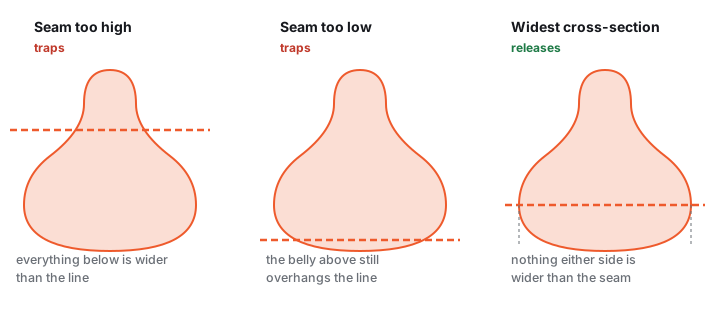
Check: look at the model from the direction each half will move. Any surface you can't see from there will grip.
3. High points without vents trap air
Air rises to every high spot in the cavity and stays there unless a vent or the pour hole lets it out. The script vents the two highest points, which on the teddy bear were its ears, and 3 of the 6 high spots in the top half got nothing. On the chonky cat it was 8 of 11.
Check: every bump that points up while the mold stands for pouring needs a vent or the pour hole.
4. Overlapping parts leave walls in the cavity
Many files are several closed parts pushed into each other: a head on a body, a figure built from pieces, a sculpt with an extra blob. Given the teddy bear with a ball pushed into it, the script made two halves that both passed as watertight, but about 2,180 mm² of mold surface sat inside the space the cast should fill, wrapped around the 5.6 cm³ where the two parts overlap. What your slicer makes of that varies; none of it is your model.
Check: count the parts in your model (in Blender, Separate by Loose Parts) and merge overlapping ones with a union before you make the mold.
5. Holes stop the boolean
A 6 mm gap in the teddy bear's surface stopped the script: the usual one-line repair could not close it, and the boolean library refused the mesh. This is the honest failure, an error instead of a bad mold, but the mold still doesn't exist.
Check: run your slicer's repair or Blender's 3D Print Toolbox before you ask for a mold. Why a model gets rejected lists what each mesh error means.
6. Vessels need a core, or a piece comes loose
A mug, vase or planter is hollow. Subtract it from a box and the inside fills with mold material, and once the box is split that piece is joined to nothing. The script left a loose 22 cm³ piece in the mug's bottom half and a 748 cm³ piece in the vase's.
Check: each half should be one piece. In your slicer, Split to objects should find nothing to split. A vessel needs its core planned on purpose.
When an AI assistant is enough
Give the assistant its due: it was right first time on the sphere, and it is fast. It is a fair choice when:
- the shape is simple and its highest point sits in the middle: a ball, a dome, a coaster, a soap bar;
- it is a learning project and a failed print costs you an evening, not an order;
- you will read the code, change a number and check every half in your slicer.
A better second prompt fixes part of the rest. This is what we would send after the first one:
Before you write the code: test all three axes and split along the one with the fewest undercuts. Put the pour spout over the highest point of the cavity and make sure it opens into it. Add a vent at every local high point in the top half. Union all shells before the boolean, and tell me if either half ends up as more than one body.
We did not send it to an assistant; we computed what it asks for. Split along the best of the three directions, 5 of the 9 figures, busts and statues dropped under 5% of their surface gripped: the teddy bear, the chonky cat, the owl, the duck and the frog. The pawn went to 0.2%. The David and Hercules busts, the Venus and the sitting cat stayed at 16 to 31% whichever way we split them. No two-part rigid mold releases those; they need a flexible silicone mold or more pieces.
And the prompt only helps if you already know to ask for it, which is the knowledge most people go to the assistant for.
A 10-point checklist for any mold
AI-made, Blender-made or from a generator, run every mold through this before you print it:
- Closed mesh. One watertight part, no holes. Your slicer's repair or Blender's 3D Print Toolbox will tell you.
- Units. The model is the size you meant. A file saved in inches arrives 25.4 times too small, one in metres 1,000 times.
- Parting direction. From the direction each half moves, you can see every surface it touches.
- Pour hole reaches the cavity. Slice the half and drag the layer slider down the hole.
- A vent at every high point. Every bump that points up while you pour.
- No loose pieces. Each half is one piece, plus any core you planned.
- Wall thickness. Enough plastic that the mold does not bow when you clamp and fill it. Meshcast's rigid mold tool uses 5 mm by default; print it with 3 to 4 perimeters.
- Key clearance. 0.2 to 0.4 mm between keys and sockets, or printed halves will not close. The script's 0.3 mm was fine.
- Draft. 1 to 2 degrees of taper on smooth rigid walls, 3 to 5 on raw layer lines; silicone needs almost none. More in draft angles and undercuts.
- Material amount. Know how much to mix before you start: the cavity plus the pour hole and vents, and a little extra. The silicone calculator does it for silicone.
Use ChatGPT or Claude with a mold tool, not instead of one
An assistant is good at the words around a mold: what to set, what to buy, why a cast stuck. Let it do that, and let a tool that computes and checks the geometry do the rest.
Ask it for a settings link
Every Meshcast tool opens with the settings named in its link, and agent-tools.json lists each tool's settings with their ranges and defaults. Give the assistant that link, or paste the part for your tool, say what you are casting, and ask for a link back. Two that work today:
- meshcast.app/candle-mold?material=soap&wall-input=6: the rigid two-part mold tool, set for soap, with 6 mm walls.
- meshcast.app/silicone-mold-maker?example=david-bust: the silicone mold maker with the David bust from our test already loaded.
A link only sets the sliders. Nothing is generated until you press Generate.
Let AI make the model, and the tool make the mold
No model yet? The Make with AI button in the upload area of Meshcast's mold tools turns a short description or a photo into a 3D model and hands it straight to the mold tool. It uses AI credits and shows the cost before anything is charged. Made the model somewhere else, in Meshy or Tripo? Read why AI models often fail to print first.
What the tool checks that a one-reply script does not
- Broken files: the upload is repaired first, holes closed, overlapping parts merged and a file in the wrong units flagged.
- The split: the tools measure how much of the surface would stick. The rigid mold tool paints it red and offers Turn for a cleaner seam; the silicone mold maker offers Use the best split.
- The pour: in the rigid mold tool, the Place the pour holes for me button puts a hole on each separate high point, up to four. The silicone mold maker's contoured mode puts its pour spout on the model's highest point near the seam.
- Air: the contoured mode also marks where air would stay trapped in every cast, right on the 3D preview.
- Vessels: the vase mold tool prints the inner core a hollow pot needs.
And an assistant may write a different script the next time you ask. A tool runs the same code every time.
Made with the silicone mold maker
All free designs →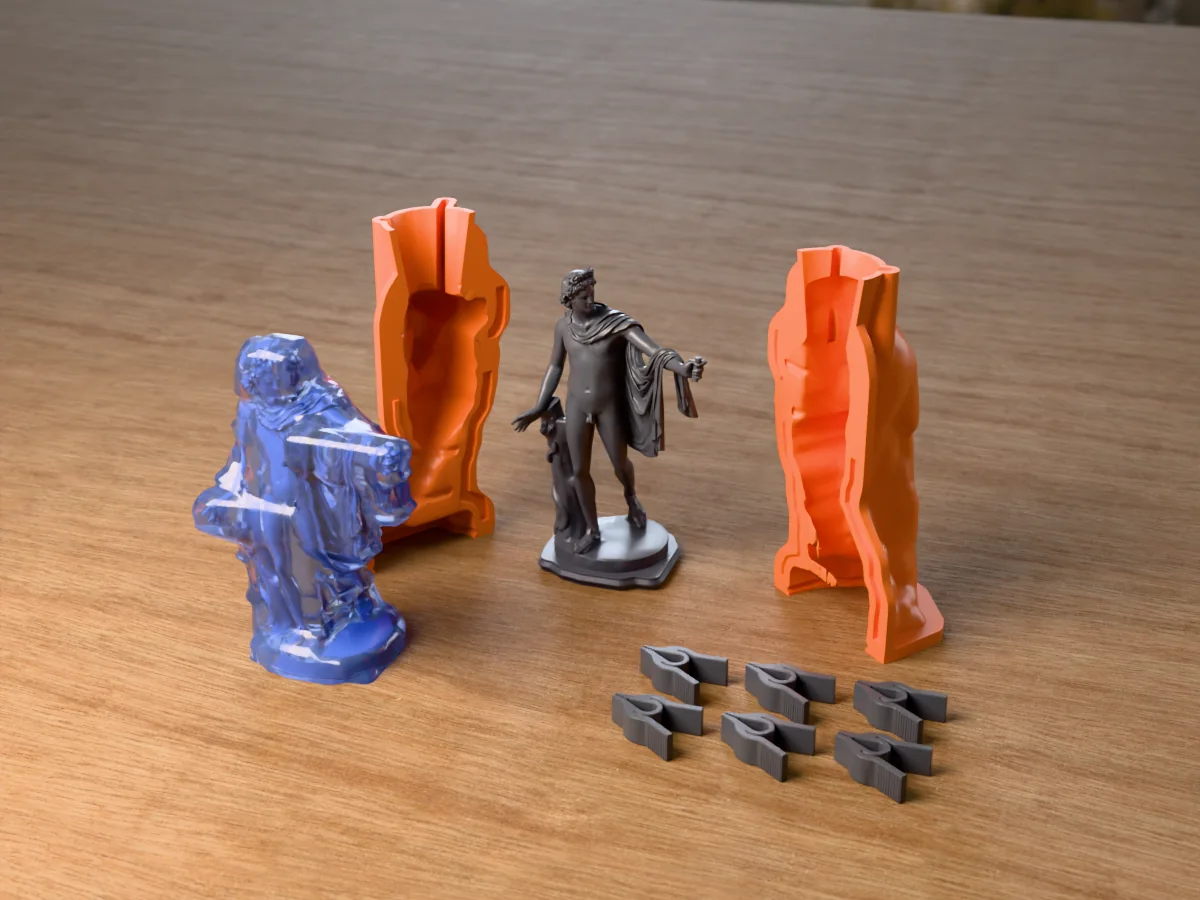
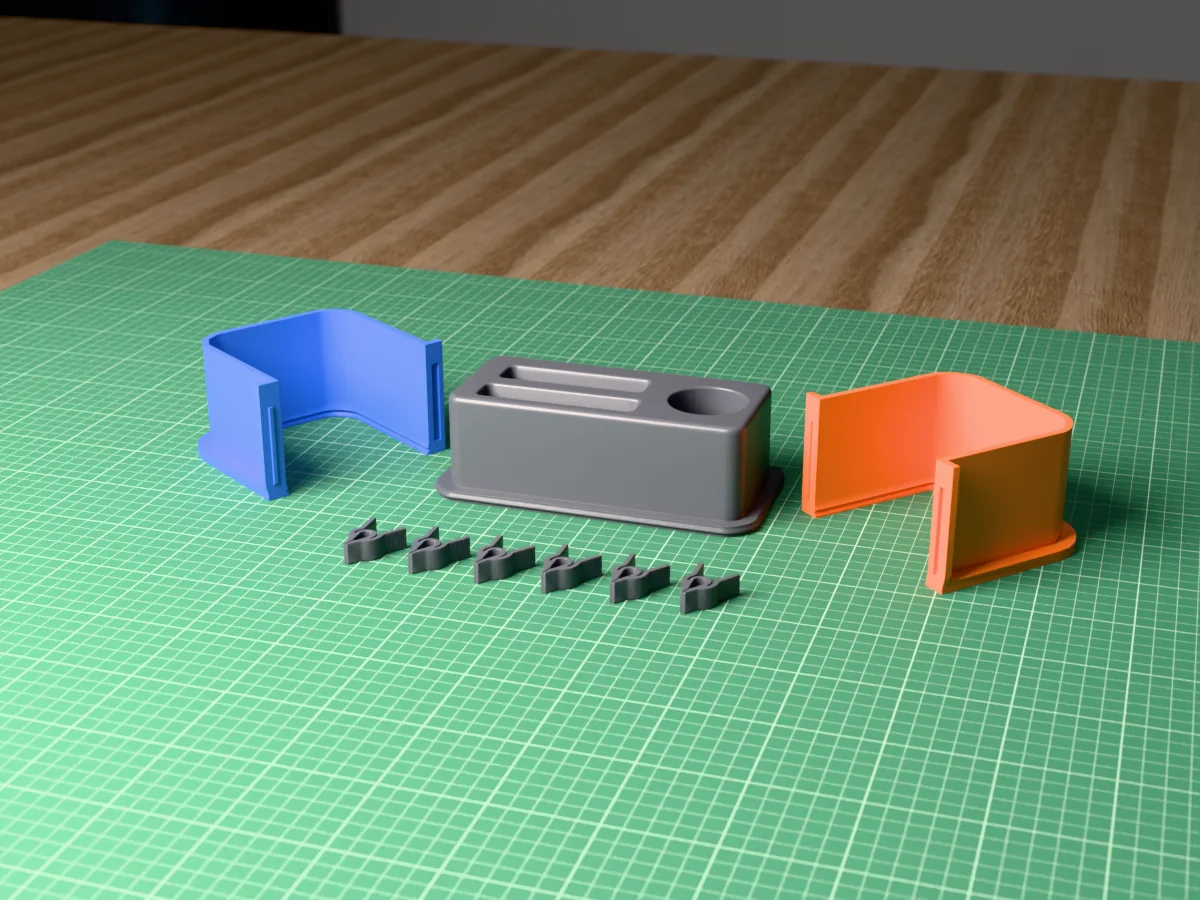
Prefer to do it by hand? How to make a mold in Blender writes out the boolean method step by step, and free mold making software compares the options.
Questions
Can ChatGPT make an STL file?
Yes, as code. It writes Python or OpenSCAD that produces an STL, and its sandbox can run the code and hand you the file.
Whether a mold made that way works is what the 10-point checklist on this page is for.
Can Claude make a mold for my 3D print?
Claude wrote the script we tested. On claude.ai every plan can run code, Free, Pro and Max can install mesh libraries, and files can be up to 30 MB (Anthropic help center, October 2026), so it can run a script like ours and hand you two halves.
In our test the halves were watertight, and on 13 of 14 models they failed at least one check you would only notice at the bench.
Can Gemini make a mold from my STL?
It can write the script for you to run. Its API code execution tool, as documented in October 2026, has no mesh library, cannot install one and stops after 30 seconds, so it could not run ours.
We did not test the Gemini app.
Do I need to know Python?
Not to get the files, if the assistant runs the code. Checking them takes no code: slice each half in your slicer and drag the layer slider down through the pour hole and the vents. Each one has to open into the cavity.
Is an AI-made mold food-safe or skin-safe?
The material decides that, not who designed the mold. For food, cast a food-grade platinum silicone mold from the print instead of using the print itself (food-safe molds).
For skin, use a platinum-cure silicone sold as skin-safe and follow its datasheet (platinum vs tin-cure silicone).
Can I sell casts from an AI-made model on Etsy?
Etsy's seller policy since July 2024 counts items you make yourself, including with a 3D printer, as handmade, puts designs made with AI prompts under Designed by, and asks you to say in the listing when an item was created with the use of AI (TechCrunch, July 2024).
Check the current rules before you list, and the licence of every file you used. Meshcast's are on the licences page.
What is the best free AI mold generator?
Honestly, a mold tool that computes the geometry, with AI where it helps: an assistant for settings and advice, an AI model maker when you have no model. In our test the one-reply script passed every check only on the sphere.
The Meshcast silicone mold maker is free to try; downloads need a free account, no card.
Made by meshcast.app. Test run on 14 October 2026: the script by Claude, run with Python 3.11, trimesh 5.1.1 and manifold3d 3.5.4 on the example models from Meshcast's mold tools. Assistants change quickly, so we plan to re-run it and will date every update. Got stuck? Email a photo and I'll help you debug.